How to Run Profitable Apple Search Ads With Keyword ROAS
A practical Apple Search Ads playbook for subscription app founders: test one search intent, structure exact campaigns, read the full funnel, and scale only the keywords that make money.

Apple Search Ads can be profitable for subscription apps, but only when the account is managed around search intent and revenue. This playbook shows how to structure a clean first test, connect post-install revenue, read keyword ROAS, and scale only the searches that pay back.
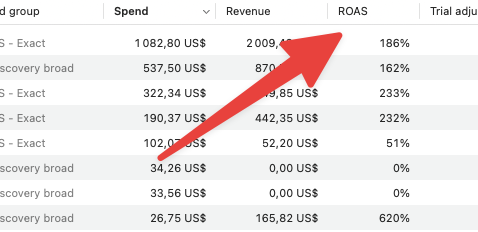
The scoreboard is not CPI. It is spend -> installs -> trials -> revenue -> ROAS.
Most Apple Search Ads accounts use the wrong scoreboard
Apple Search Ads can look clean while the economics are broken. Taps, installs, CPI, and CPA are useful diagnostic metrics, but they do not answer the question that matters for a subscription app: which keyword is actually making money?
A cheap keyword can bring installs all day and still lose money if those users never start trials, subscribe, or renew. An expensive keyword can look scary in the ad account and still be worth scaling if it brings high-intent subscribers.
That is why this workflow is built around keyword ROAS. The goal is not to buy the cheapest install. The goal is to find the searches where the App Store user already wants the problem your app solves, then make the full funnel match that promise.
The funnel is longer than the Apple Ads dashboard
Apple Ads is intent capture. Someone types a problem into the App Store. Your ad appears. Then the user has to believe the App Store page, install, reach the first value moment, see a relevant paywall, and pay.
The working funnel is: search query -> ad -> App Store page -> onboarding -> first value moment -> paywall -> subscription. If one step breaks the promise, the keyword dies.
This is why managing Apple Ads only inside Apple Ads is incomplete. The dashboard can tell you what happened before or around the install. The business starts after that install.
Start with one search intent
Do not start by selling the whole app. Start with one job the user is searching for. It is much easier to make one tight funnel work than five vague funnels at the same time.
For a running app, the search intent might be running plan, 5k training plan, or marathon training plan. Those are related, but they are not the same promise. A user searching for 5k training plan should see a page that makes them think, yes, this is exactly what I searched for.
Once one intent works, you can create separate custom product pages and ad groups for nearby intents. The app can be the same. The promise should not be.
Make the App Store page sell before you spend
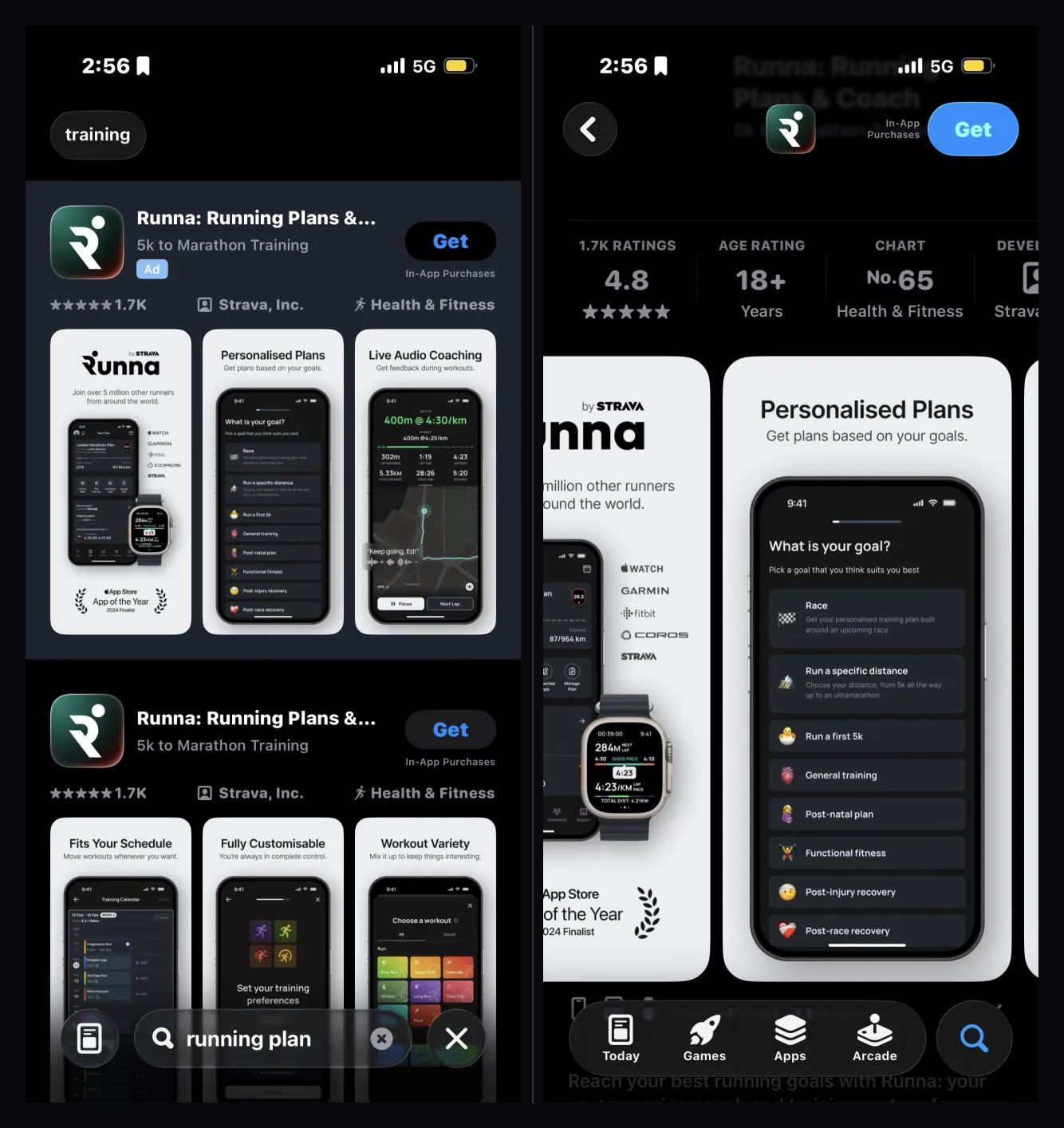
Apple Ads sends people to your App Store page, so the page has to sell before the campaign can work. Before spending, check the icon, title, subtitle, first screenshot, screenshot text, onboarding promise, and paywall promise.
If TTR is weak, the search result may not look relevant enough. If tap-to-install conversion is weak, the product page is leaking. If installs happen but trials do not, onboarding or activation is probably the next constraint.
Do not fix every Apple Ads problem with a bid change. Sometimes the bid is wrong. Sometimes the page is leaking. Sometimes onboarding does not deliver the intent. Sometimes the keyword is simply bad.
Set up revenue measurement before you judge spend
If your Apple Ads account can only see taps and installs, you are trying to optimize with the last chapter missing. The ad account can tell you whether a keyword produced delivery and downloads. It cannot fully tell you whether those users became subscribers, renewed, refunded, or paid back.
Before serious scaling, connect the revenue source you already use. For many subscription apps, that means RevenueCat or Superwall. You do not need a giant attribution migration just to answer the first question. You need a reliable path from paid install to trial, purchase, renewal, refund, and revenue.
Measurement does not need to be perfect on day one, but it does need to be honest. If revenue tracking is not ready, mark the campaign as a learning test and avoid pretending ROAS decisions are final. The worst version is confident optimization from incomplete economics.
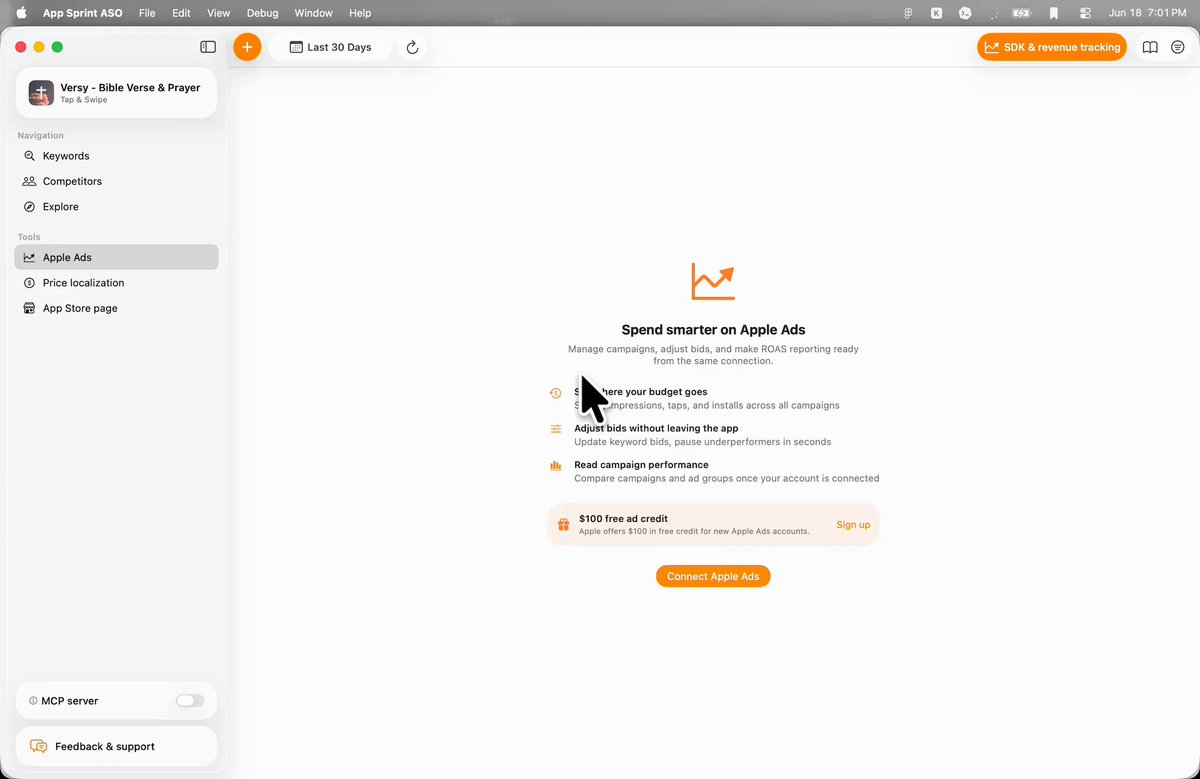
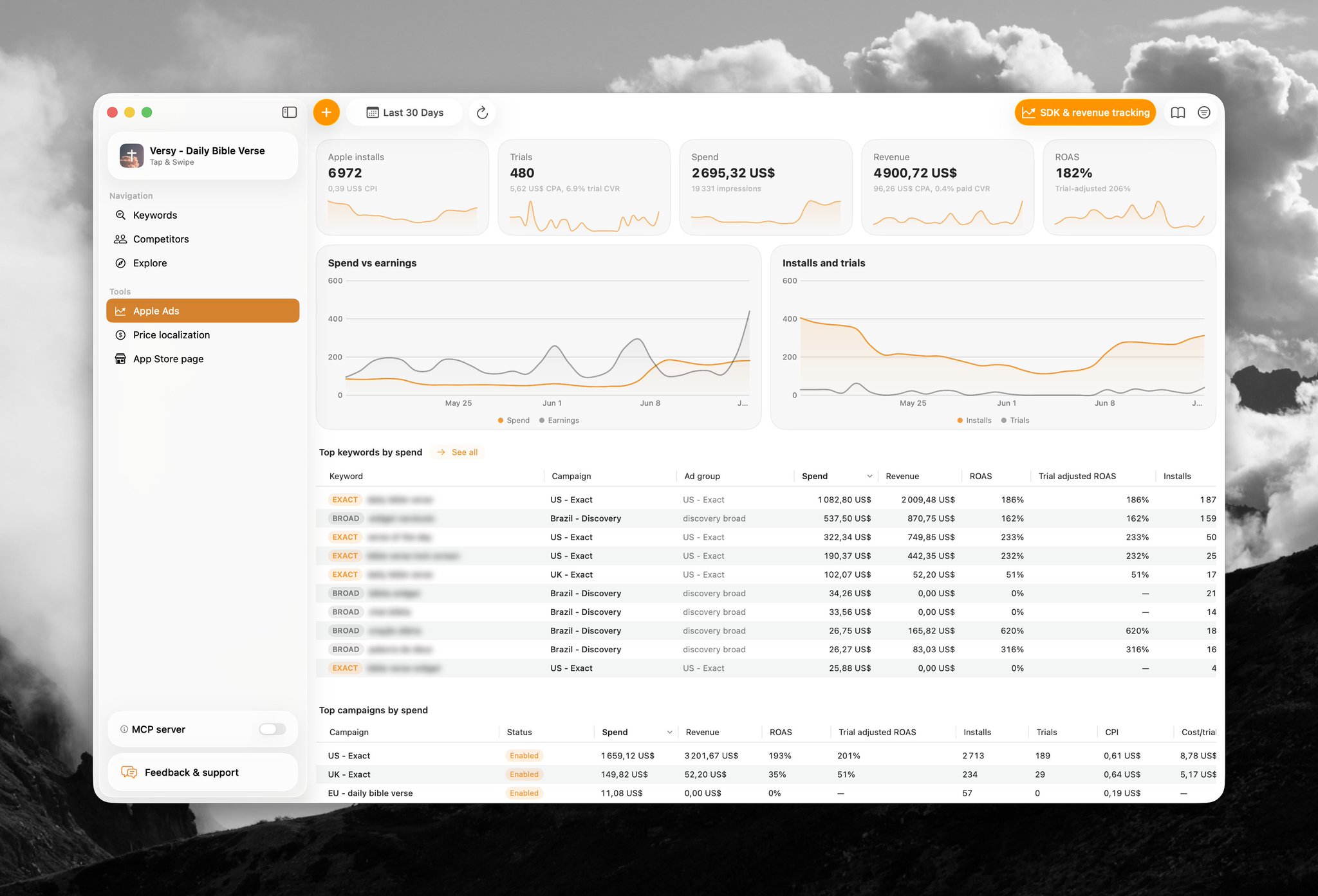
Once revenue is connected, keep the keyword view practical: spend, installs, trials, active trials, paid conversions, revenue, ROAS, popularity, and impression share. That is enough to make better decisions than CPI alone.
Use the $100 credit as a clean test, not a mini agency account
New Apple Ads accounts often get a small free credit. Treat it like a focused experiment, not permission to create fifty campaigns. A small credit can answer whether one or two search intents have enough relevance to deserve more work.
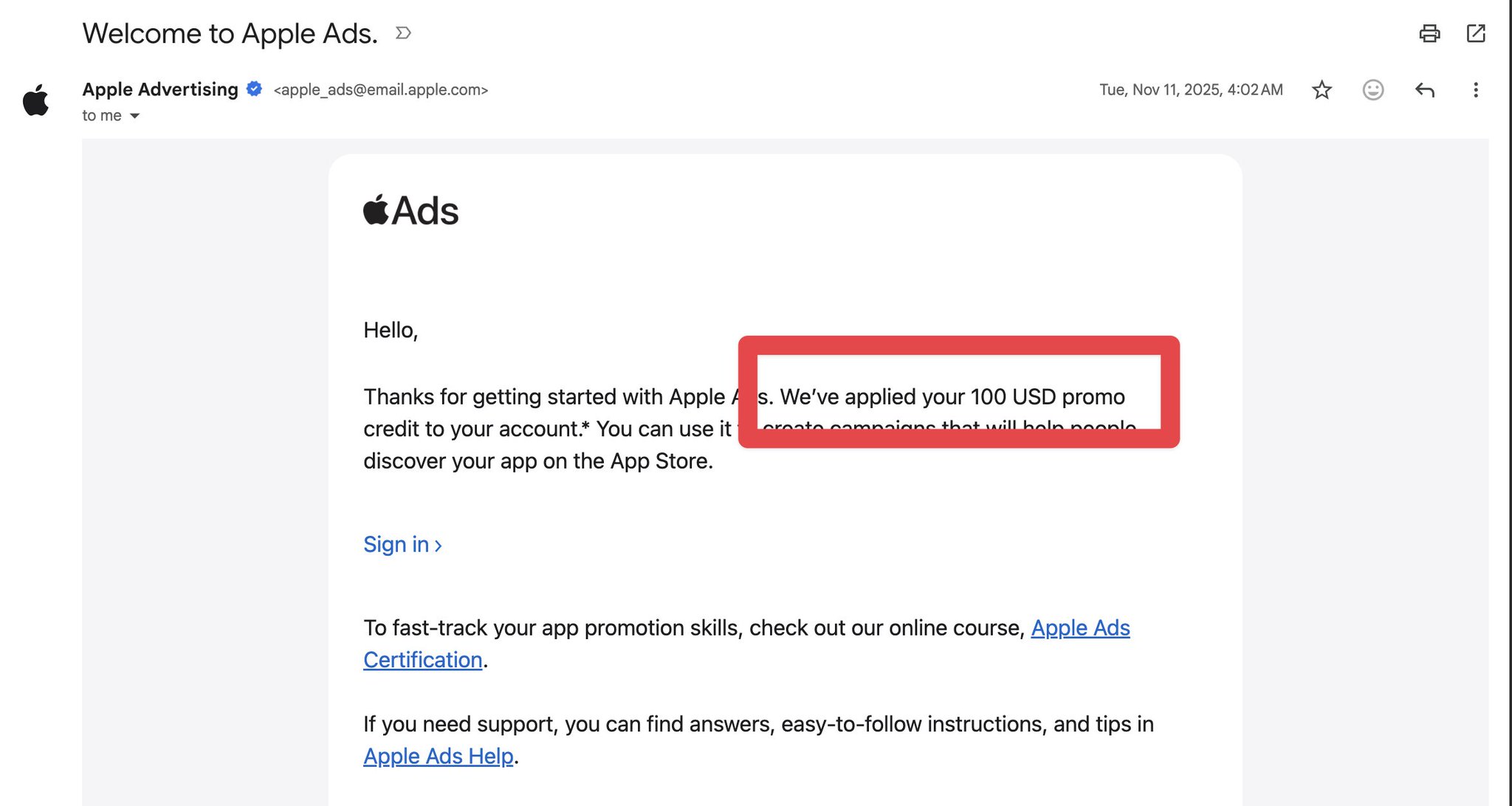
A good first test might be one country, one campaign, one ad group, five to ten exact keywords, Search Match off, manual bids, and a daily cap you are comfortable losing. If the account is brand new, the goal is signal quality, not account complexity.
Before launching, write the hypothesis in one sentence. Example: users searching for 5k training plan will install and start trials because the page, onboarding, and paywall all promise a beginner-friendly 5k plan. If you cannot write the hypothesis clearly, the campaign is probably too broad.
After the credit is spent, the question is not whether you got a lot of installs. The question is whether the results tell you what to improve: keyword choice, page conversion, onboarding, paywall, pricing, bid, or budget.
Use a clean starter campaign structure
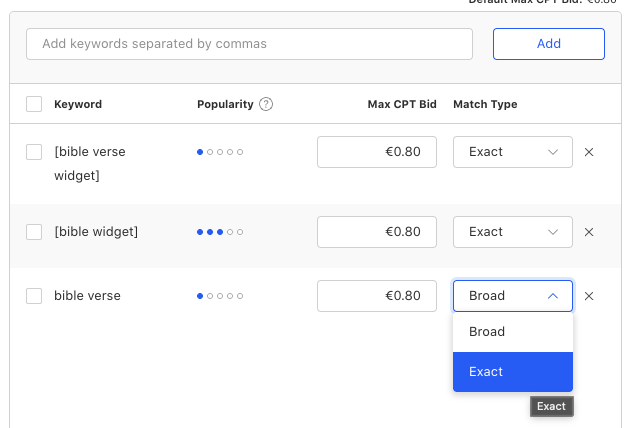
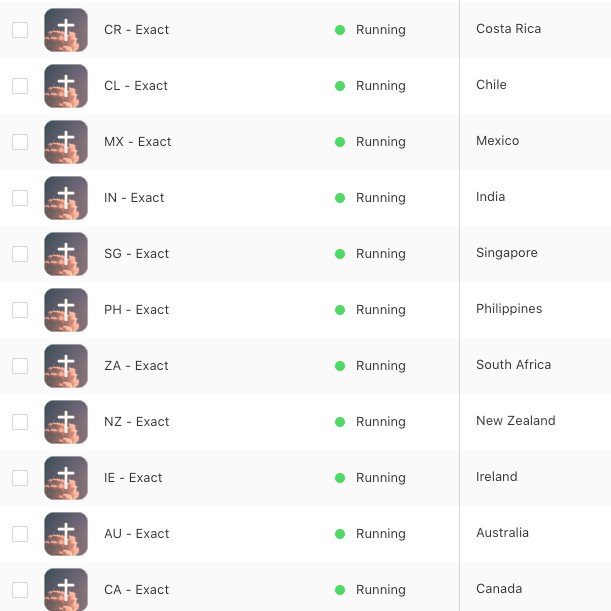
For a first test, keep the structure boring on purpose: Search Results campaign, one country per campaign, one intent per ad group, manual bids, Search Match off, exact match keywords, and iPhone-only targeting when the app experience is iPhone-first.
| Layer | Starter default | Why it helps |
|---|---|---|
| Campaign | One country | Keeps spend, pricing, and conversion readable |
| Ad group | One intent | Makes the keyword promise easier to diagnose |
| Match type | Exact match first | Buys cleaner evidence before discovery |
| Discovery | Search Match off | Prevents early signal from getting blended |
| Bidding | Manual bids | Lets ROAS guide the next move |
Exact match is not about being conservative forever. It is about getting a clean first answer. Did this specific keyword create revenue or not? Broad discovery can come later, once you know which intents deserve more noise.
Separating countries matters because blended data lies. Canada might spend, Brazil might convert, and the UK might have cheap taps. If they live in one campaign, the average becomes hard to act on.
Pick obvious keywords first
Your first keyword list should come from obvious search intent, not discovery magic. Ask what someone would search if they wanted exactly what your app does.
For a running planner, start with running plan, 5k training plan, and marathon training plan before dumping every fitness word into broad match. For a photo cleanup app, start with photo cleaner, clean up photos, and duplicate photo remover before chasing broad photo editor terms.
Before spending, you can use the free App Store keyword checker to compare popularity and difficulty for those starter terms, then use the app revenue checker to sanity-check whether similar apps appear to monetize.
The first test is not meant to exhaust the market. It is meant to buy clean evidence on keywords that should work if your positioning and product are aligned.
A concrete starter example
Imagine a running planner app. The broad app promise might include workouts, routes, calories, habits, races, shoe mileage, and recovery. That is fine for the product, but it is too much for the first Apple Ads test.
A cleaner first intent is 5k training plan. The campaign could be US - Exact. The ad group could be Exact - 5K training. The starting keyword list could include 5k training plan, 5k running plan, couch to 5k plan, beginner 5k plan, and 5k plan.
The App Store page should then lead with a 5K-specific promise. The first screenshot should show a weekly 5K plan, not a generic dashboard. Onboarding should get the user to their plan quickly. The paywall should reinforce the same outcome.
That is the difference between buying traffic and testing intent. The keyword, page, product flow, and paywall are all trying to prove or disprove one focused idea.
Start bids near Apple's suggestion, then let ROAS decide
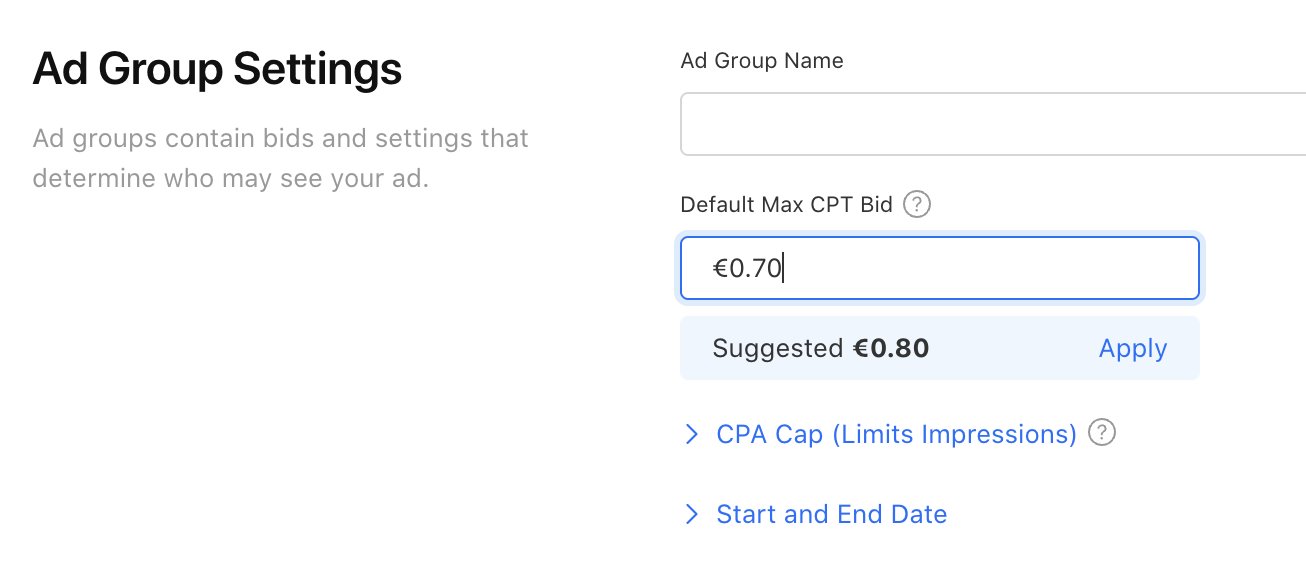
A practical starting point is Apple's suggested CPT, often a little under the suggested bid. The goal is not to win every auction on day one. The goal is to buy enough signal without getting cooked.
If a relevant keyword gets no impressions, check the bid, relevance, metadata match, and volume. If the page matches intent and the keyword matters, raise slowly.
Once data arrives, read bid decisions through revenue, not ego: good ROAS with low impression share can justify a careful bid increase; good ROAS with high share may mean the keyword is close to maxed; bad ROAS with high share usually means lower the bid or pause.
Read the full funnel
Apple-side metrics diagnose the problem. Revenue decides what to do. Low TTR points to icon, title, subtitle, first screenshot, or keyword fit. Good TTR with low install conversion points to the App Store page. Installs with no trials point to onboarding or first value. Trials with no paid users point to offer, pricing, product, or trial quality.
For subscription apps, do not judge trials too early. A keyword with active trials is not the same as a keyword with installs and zero signal. Separate active trials, mature trials, paid users, refunds, and renewal revenue before making final decisions.
This keeps you from killing good keywords too early and from keeping bad keywords alive because the install price looked nice.
Use a calm review cadence
Do not stare at the account every hour and rewrite the campaign from noise. Apple Ads needs enough delivery, and subscription apps need enough time for trial behavior to mature.
Daily, check for obvious breakage: no impressions, runaway spend, tracking issues, incorrect countries, irrelevant keywords, or a page that is clearly failing. These are operational checks, not full strategic decisions.
After three or four days, start making small bid and keyword decisions if there is enough data. Look for keywords with spend but no downstream signal, keywords with promising trials, and keywords where TTR or install conversion suggests a page problem.
Weekly, read the business view: spend, mature trials, paid conversions, refunds, revenue, ROAS, impression share, and popularity. That is where scaling and pause decisions belong.
Use popularity and impression share before scaling
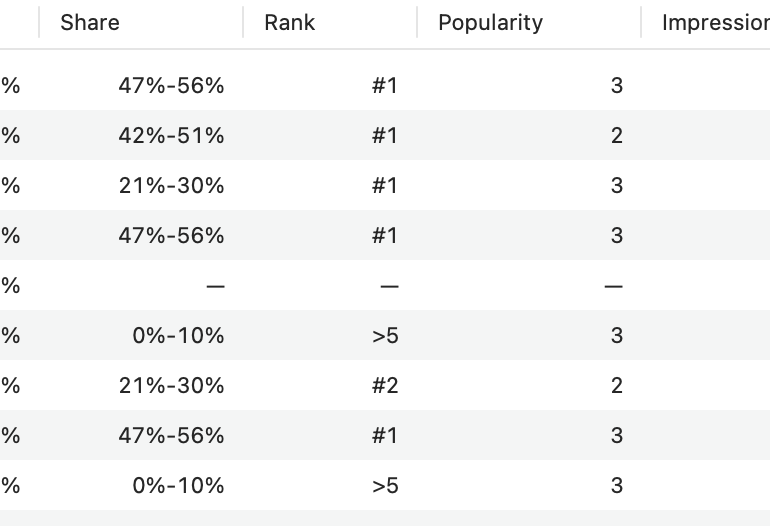
Good ROAS is not enough. Impression share and keyword popularity tell you whether there is meaningful volume left to win.
High popularity with low impression share can mean there is real scale available. Low popularity with high impression share can mean you already dominate a small keyword. Low share on a huge keyword matters more than low share on a tiny one.
This is where AppSprint becomes useful: paid keyword economics, App Store keyword data, popularity, and impression-share context belong in the same workflow.
The keyword decision table
Once the campaign has signal, the decision logic can be surprisingly simple.
| Signal | Meaning | Next move |
|---|---|---|
| Good ROAS + low impression share + high popularity | There may be scale left | Raise bids slowly and watch marginal ROAS |
| Good ROAS + high impression share | You may already own most available demand | Keep efficient, then test nearby keywords or countries |
| Bad ROAS + high impression share | Visibility is not paying back | Lower the bid, fix the funnel, or pause |
| Bad ROAS + low impression share | The signal is unclear or the auction is too expensive | Wait for maturity, or stop if leading signal is weak |
What to report every week
A useful weekly Apple Ads report should be small enough that you can actually act on it. Do not export every column just because the dashboard has them. Start with the few numbers that explain delivery, conversion, monetization, and scale.
At keyword level, report spend, impressions, taps, TTR, installs, tap-to-install conversion, trials, paid conversions, revenue, ROAS, impression share, and popularity. Add notes for active trials so immature cohorts are not treated as failures.
At campaign level, report budget usage, country, average CPT, revenue, ROAS, and whether the account is budget-capped or bid-capped. Campaign reporting is useful for allocation. Keyword reporting is useful for action.
Then write one sentence per important keyword: raise bid, keep, lower bid, pause, wait for trial maturity, fix product page, fix onboarding, or test adjacent keywords. If the report does not produce a decision, it is probably too decorative.
How to expand after the first intent works
Once one search intent pays back, do not immediately blow the structure open. Expand in rings. First, test close variants of the same intent. Then test the same intent in nearby countries. Then test a custom product page for the highest-potential branch of that intent.
For example, if 5k training plan works in the US, the next ring might be beginner 5k plan, 5k running schedule, and couch to 5k plan. The country ring might be UK, Canada, Australia, or another market where pricing and language still fit.
Only after that would I test broader running terms. Broad terms can work, but they usually require stronger conversion, more budget, and better negative keyword hygiene.
This expansion order keeps the account connected to proof. You are not randomly adding keywords. You are following the strongest monetized intent outward.
Common mistakes that make Apple Ads look worse than it is
The first mistake is mixing too many countries. Country averages are comforting until they hide the only market that works. Keep countries separate so budget and pricing context stay readable.
The second mistake is testing too many intents at once. If the campaign sells the whole app to everyone, you will not know which search promise failed.
The third mistake is raising bids before fixing the page. If users tap but do not install, more auction pressure just sends more people into the same leak.
The fourth mistake is killing trial-heavy keywords too early. A fresh active trial is not revenue yet, but it is not zero either. Separate active and mature trials.
The fifth mistake is treating ASO and Apple Ads as separate worlds. Organic rankings show where you are visible. Paid keywords show which searches monetize. The strongest growth loop uses both.
Where AppSprint fits
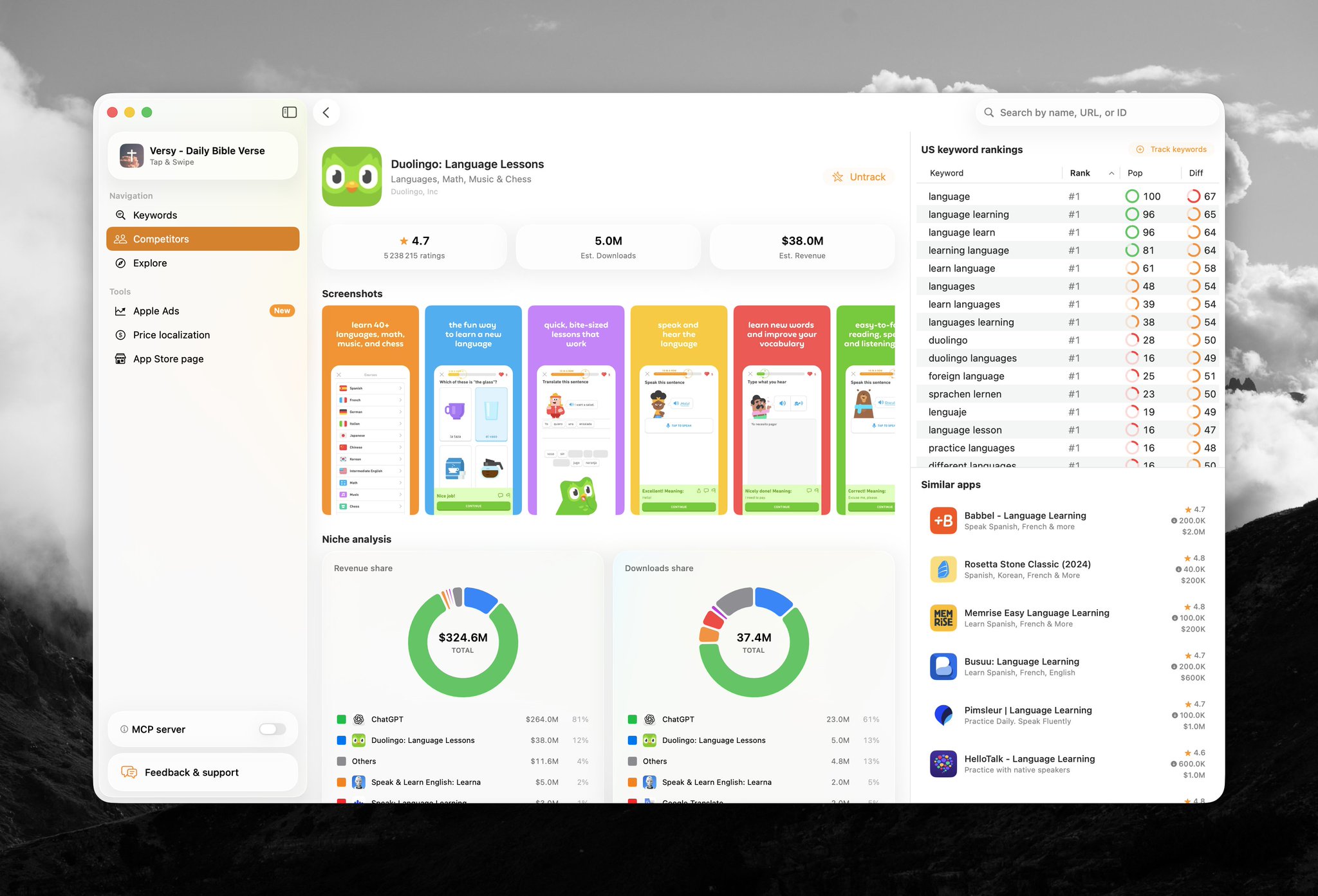
AppSprint started as a practical ASO workflow: keyword research, rankings, competitors, metadata, screenshots, and country-level context. But if you care about ASO, Apple Ads belongs in the same loop.
Paid keywords show which search intents monetize. Organic rankings show where you are visible. Competitor data shows why other apps own the result. Revenue data shows what deserves budget.
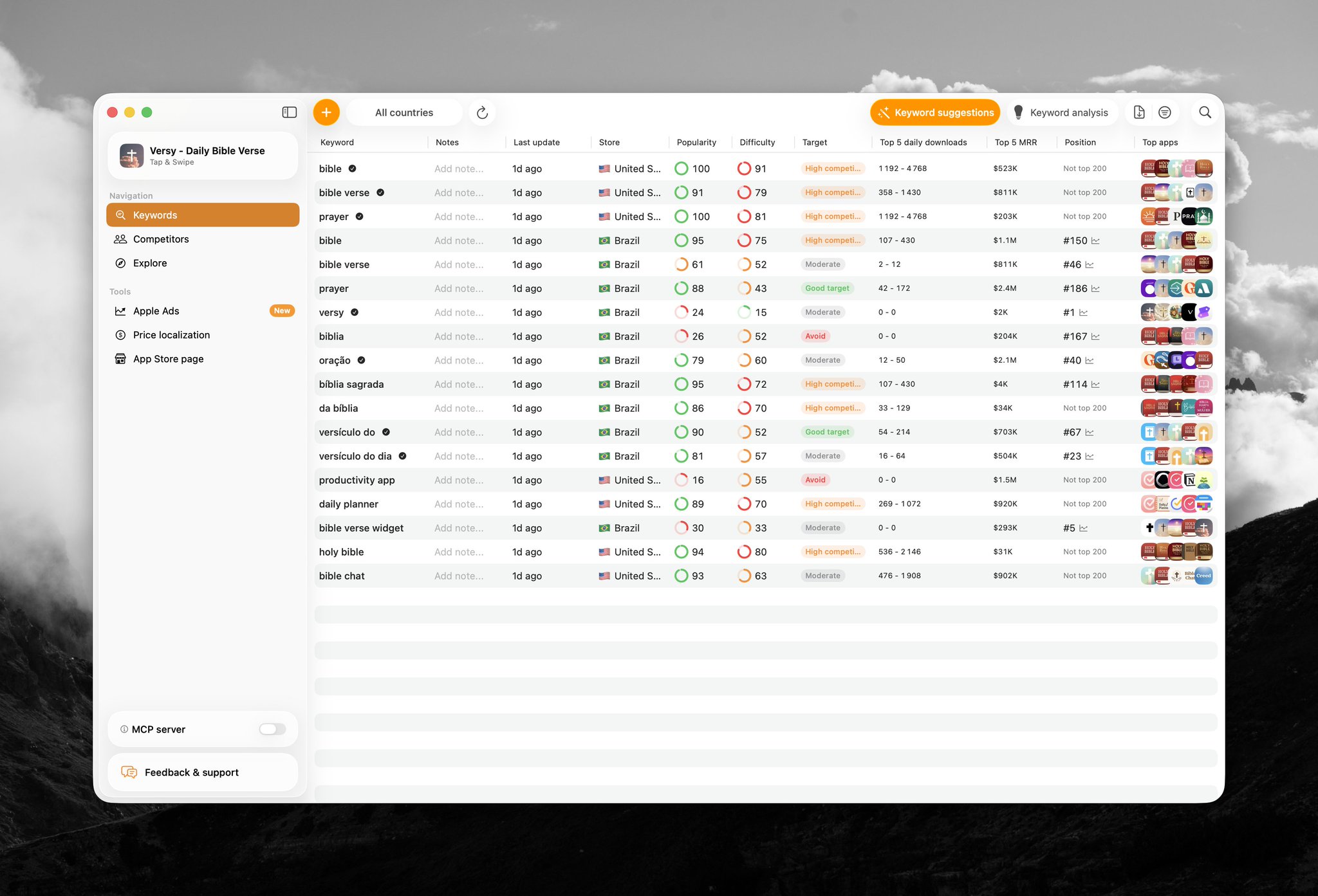
AppSprint connects Apple Ads spend, installs, trials, subscriptions, revenue, ROAS, impression share, impression-share rank, and keyword popularity at keyword level. Revenue can come from RevenueCat or Superwall, without a giant MMP migration.
The starter checklist
- Use the $100 Apple Ads credit if your account has it.
- Pick one monetizable search intent.
- Build the App Store page around that intent.
- Keep the funnel consistent after install.
- Create one country per campaign.
- Use exact match first.
- Keep Search Match off.
- Use manual bids.
- Start around Apple's suggested bid, slightly lower.
Then watch TTR, install conversion, trials, paid conversions, revenue, ROAS, impression share, and popularity. If the keyword pays back and still has low share, scale carefully. If it spends without revenue or leading signal, cut it.
The scoreboard is not taps. It is not installs. For a subscription app, the scoreboard is spend -> installs -> trials -> revenue -> ROAS.
How AppSprint helps
See keyword-level spend, installs, trials, revenue, ROAS, popularity, and impression share in AppSprint.
AppSprint is built for the app founder workflow around App Store search: research keywords, compare competitors, update metadata, manage Apple Search Ads, and connect revenue so paid search decisions are tied to what actually pays back.
Research, analyze, optimize
Find the right keywords, study the competitors already earning attention, and turn that into a stronger App Store page.
Available for macOS 14.6 and above


Loved by 544 users
Related articles
See all posts →
When to Pause an Apple Search Ads Keyword
Pause Apple Search Ads keywords when mature spend, weak funnel signal, and poor ROAS show the search intent is not paying back.

How to Track Apple Search Ads Revenue With Superwall
Use Superwall subscription events with Apple Search Ads attribution and spend to measure trials, paid conversions, revenue, and keyword ROAS.

How to Track Apple Search Ads Revenue With RevenueCat
Use RevenueCat revenue events with Apple Search Ads spend to see which campaigns and keywords create trials, subscriptions, renewals, and ROAS.