
Start here
Use AppSprint to answer three questions: which searches are worth chasing, why the current winners rank, and whether those searches turn into trials or revenue once you run Apple Ads, the AppSprint SDK, and your revenue provider.
What to aim for
Pick keywords you can win
Make the store page do its job
Scale the terms that pay back
First 20 minutes
Install and activate
Download AppSprint for macOS from checkout or the customer portal. Open the app and paste your license key when it asks.
Add your first app
Click the app picker in the sidebar, choose Add New App, then search by app name or App Store ID. Pick the right result from the list.
Add 10 seed keywords
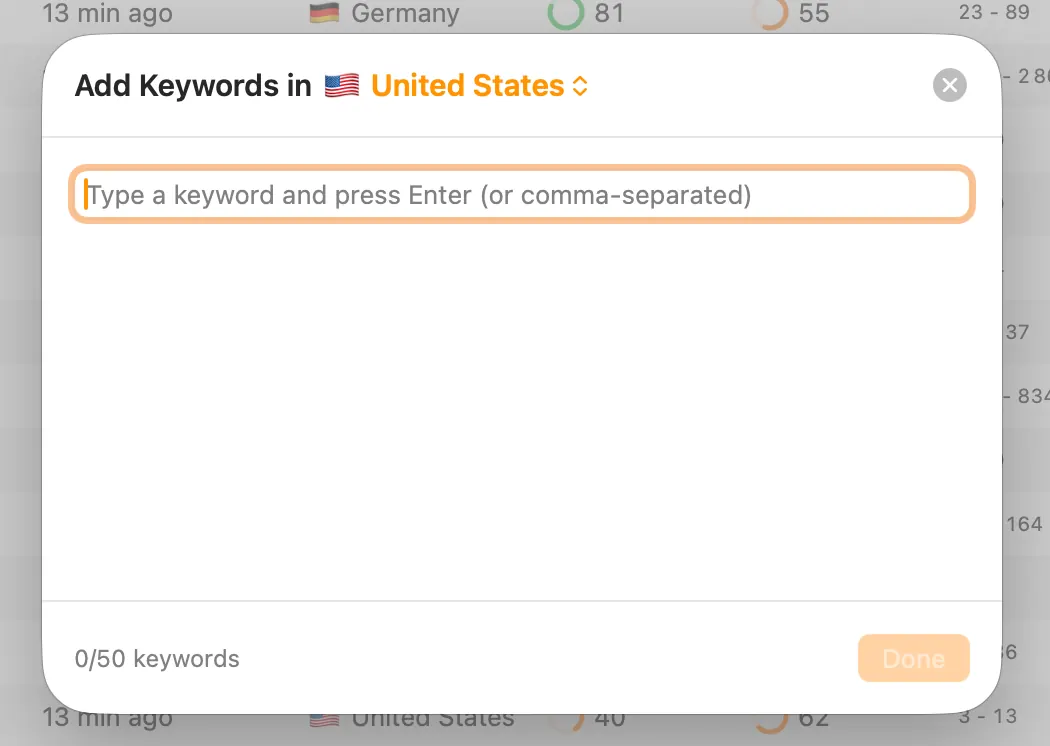
Open the Keywords tab and click the round + button in the toolbar. Pick the country in the Add Keywords sheet, then add relevant terms from your title, subtitle, keyword field, competitor names, and App Store autocomplete.
Pick 5 realistic targets
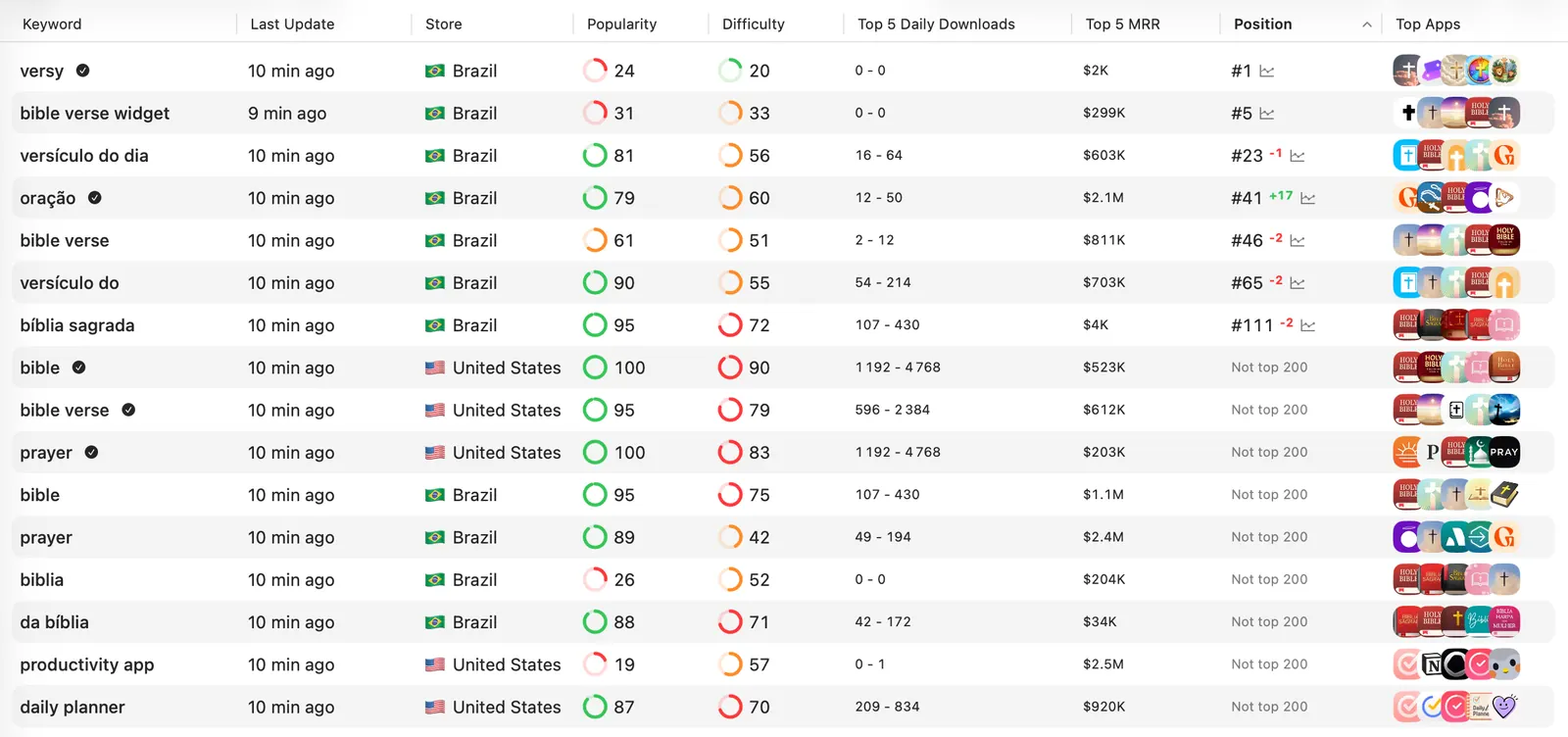
Open the keyword table and compare estimated downloads, difficulty, your current position, top-5 downloads, and top-5 MRR. Save the keywords where people search, the top apps are not too strong, and your app has a real reason to rank.
Check the niche before editing
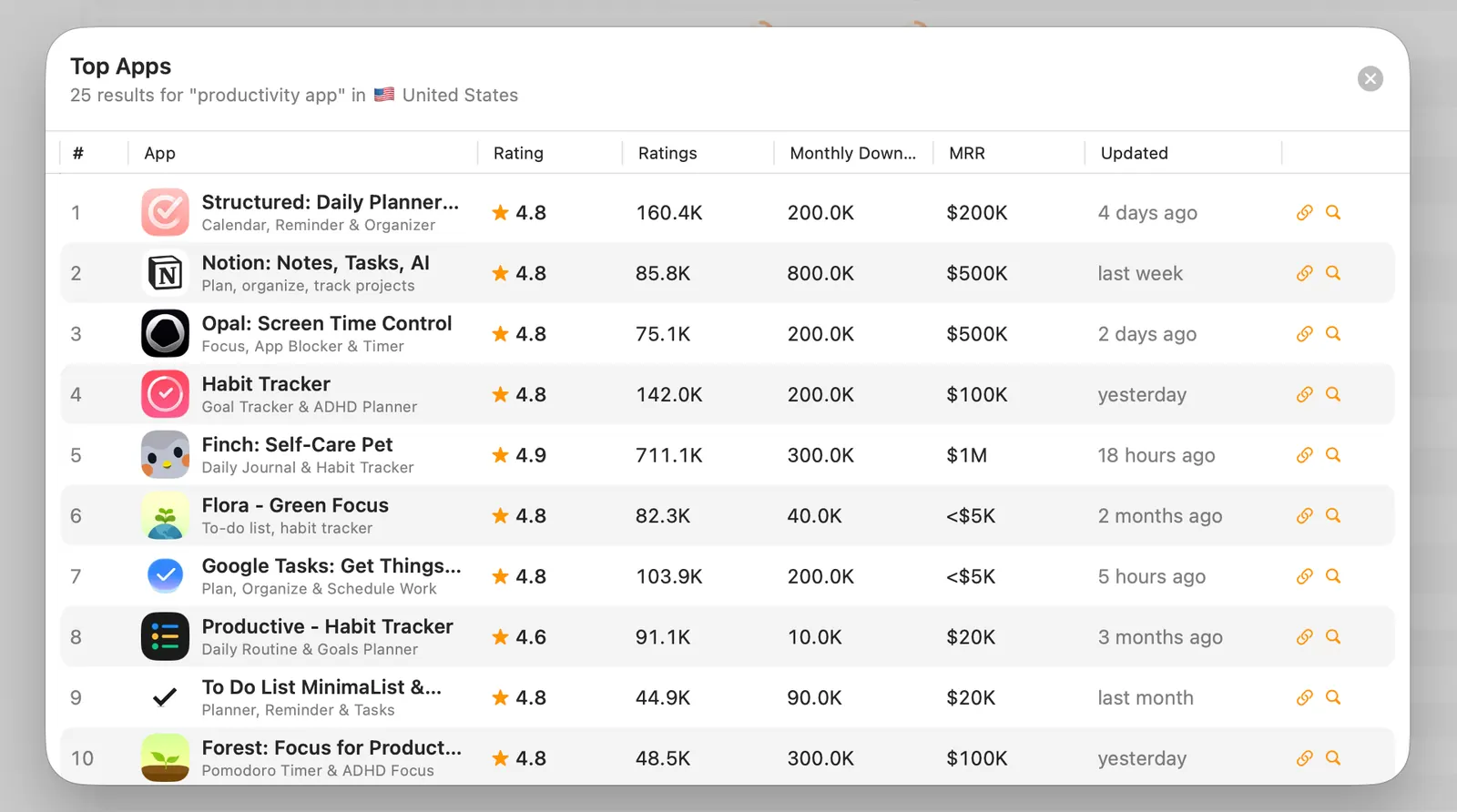
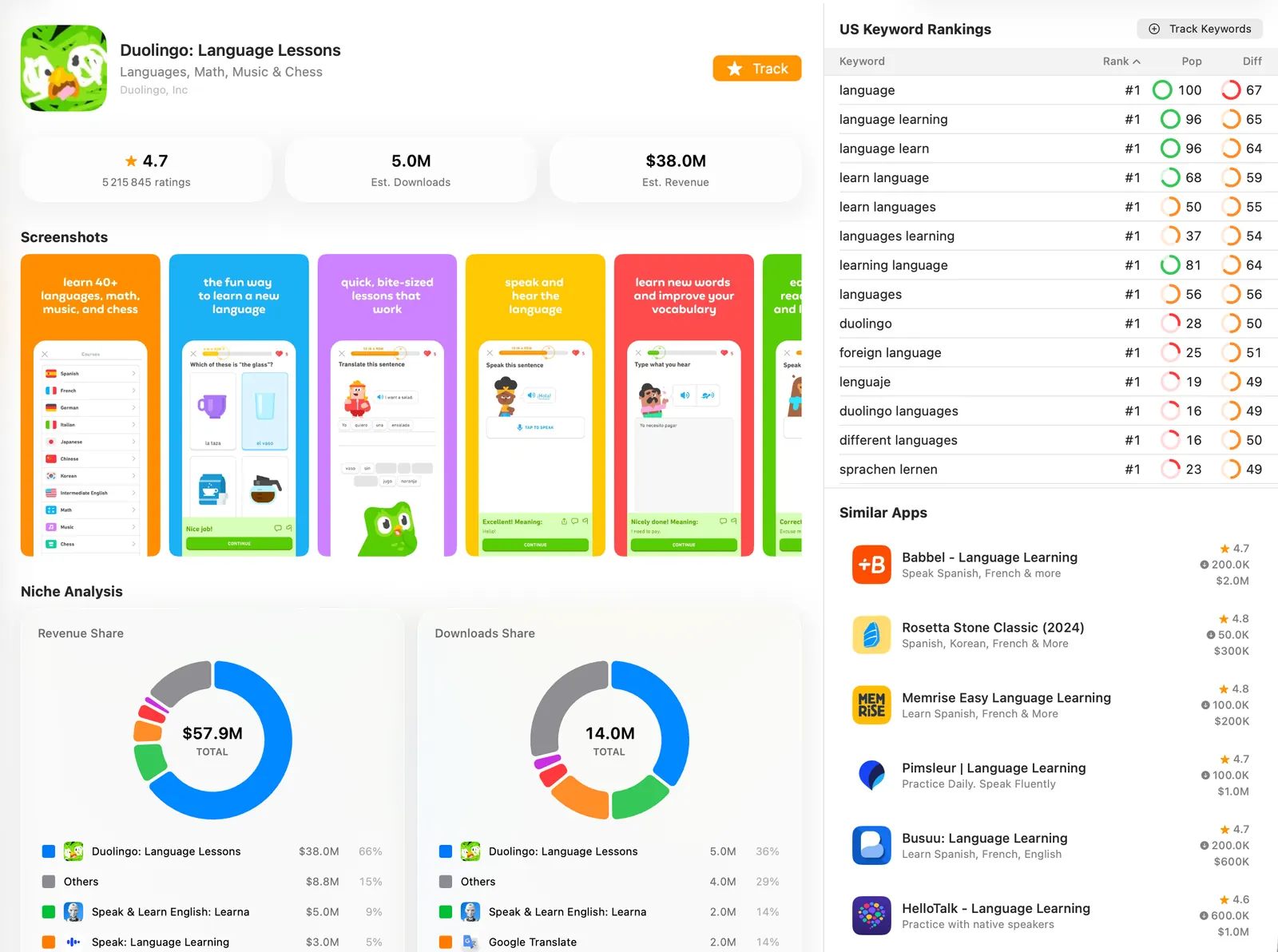
Before you touch metadata, look at who ranks, how much they make, how strong their ratings are, what they charge by country, and how their screenshots sell the app.
Basic clicks
- Add an app: Click Select App in the sidebar, click Add New App, search by name or App Store ID, then select your app.
- Choose a country: Use the country button in the toolbar or the country selector in the Add Keywords sheet. Start with one country where users can actually pay.
- Add keywords: In Keywords, click the round + button. Type one keyword and press Enter, or paste a comma-separated list, then click Done.
- Read the table: Sort by estimated downloads, difficulty, position, top-5 downloads, or top-5 MRR. Double-click a keyword to open the detail view.
- Find competitors: Open Competitors, search for an app, and look at its revenue, downloads, ratings, screenshots, keyword rankings, and similar apps.
Start narrow
One app, one country, and 10-20 keywords is enough for the first pass. Add more countries after you understand what works in the first one.
Deeper guides
After the first keyword pass, use these guides to go deeper: practical ASO rules, screenshots that sell the search intent, and countries where localization and pricing can change the outcome.
Golden rules
Apple Ads playbook
Screenshots
Localization & pricing
Keyword rules
- Popularity is only a filter: A keyword matters when ranking for it can bring real downloads.
- Keep it relevant: Only add keywords that describe your app or a problem it clearly solves.
- Read keyword and country together: The same keyword can be useless in one country and profitable in another.
- Do not kill terms too early: Wait for enough taps, installs, or rank movement before you remove a keyword.
- Use winners in ASO and Apple Ads: Paid traffic on the same terms can help organic rankings and gives you faster revenue feedback.
Niche analysis
Before you rewrite metadata, understand the market around the keyword. Use competitor pages to spot the gap your app can actually take.
- Revenue: If the top apps make real money on a keyword, the niche is worth studying.
- Downloads: Downloads tell you there is demand. Revenue tells you whether that demand is valuable.
- Ratings: Recent rating volume gives you a quick read on how hard the keyword will be to beat.
- Screenshots: If competitors sell the promise better, your ASO traffic and ad spend will leak.
- Price localization: Check how competitors price by country before you judge a market.
Simple decision rule
Pick keywords where the search intent fits your app, the top apps make money, and your product page can make a clearer promise than some of the current winners.
Metadata checklist
- Name: This carries the most keyword weight. Put the most important keyword early. Put the brand first only if people already search for it.
- Subtitle: Use this for the next important words and combinations.
- Keyword field: Use the 100 characters for relevant words you did not already use in the name or subtitle.
- No duplication: Do not repeat the same word across name, subtitle, and keyword field. If "affirmations" is already used once, spend the next slot on a different useful word.
- Best phrase wins: Use pairs where both words matter. If "daily affirmations" has more demand and fits the app, it is a better way to target "affirmations" than a weak pair like "kind affirmations".
- One topic: A focused metadata set usually beats a messy list of unrelated keywords.
Think in useful combinations
Apple can read "daily affirmations" as "daily", "affirmations", and the full phrase "daily affirmations". That is why you do not repeat "affirmations" somewhere else just to target it again. Use the space to build another strong combination.
Apple limits
Title is 30 characters, subtitle is 30 characters, and the keyword field is 100 characters. Leave a little room when you use symbols such as ampersands or dashes.
Conversion fixes
Keywords get people to the listing. The listing still has to sell. If people do not tap or install, rankings and Apple Ads both get harder.
- Screenshots: Use simple text, strong contrast, one clear promise, and no design fluff.
- A/B tests: Test screenshots in App Store Connect when traffic is high enough.
- Ratings: More reviews and a better average rating can help both ranking and conversion.
- Rating prompt: Ask after a positive moment, ideally after a paying user finishes a useful action.
Do this before raising bids
If Apple Ads tap-through rate or install conversion is weak, fix the App Store page before increasing bids.
Apple Ads loop
- Start with Search Results: It has the clearest intent. Skip Today tab, Search tab, and Product Pages at first.
- Keep countries clean: Separate countries when LTV, language, or purchasing power is very different.
- Use manual bids: Start with a bid you are comfortable losing. If nothing spends, raise it slowly.
- Disable Search Match: Add keywords manually and start with Exact match while you learn.
- Watch revenue: Judge keywords by trials, paid conversions, revenue, and return on ad spend. CPI is not enough.
- Move winners: After a few days of signal, move the few promising keywords into tighter Exact campaigns.
Good first campaign
One country, Search Results only, manual bidding, Search Match off, Exact keywords, all eligible users, default ad. Keep the setup boring until the data tells you what to change.
Weekly routine
Review winners and losers
Check rank movement, downloads, MRR, Apple Ads spend, trials, paid conversions, and revenue for each keyword and country.
Add or remove a few keywords
Add terms from competitors, autocomplete, and search terms. Remove keywords that had enough signal and still did not rank, convert, or pay back.
Improve one store-page asset
Rewrite one metadata draft, test one screenshot idea, sharpen the first screenshot promise, or tighten pricing for one country.
Setup guides
AppSprint SDK
App Store Connect integration
Apple Search Ads integration
RevenueCat integration
Superwall integration
MCP Server
Troubleshooting
- License key fails: Check for pasted spaces, then make sure the subscription is active.
- Localizations do not load: Confirm the App Store Connect key has App Manager access for the selected app.
- Apple Ads fails: Use a separate Apple Account with API Account Manager access and verify the public key was saved in Apple Search Ads.
- Position is missing: The app may not rank in the top 200 for that keyword yet.