Custom Product Pages for Apple Ads: Setup Guide
Use custom product pages in Apple Ads: build intent-specific assets, pass App Review, activate one ad variation per ad group, and measure the full funnel.

To use a custom product page in Apple Ads, build the page in App Store Connect, submit it for review, then select the approved page when you create an ad variation inside a search-results ad group.
That page does two jobs. Its screenshots and previews shape the ad creative, and it becomes the product page people reach after the tap. Apple allows one active custom ad per ad group, so the page should match one coherent keyword theme.
The four-part workflow
| Place | Job |
|---|---|
| App Store Connect | Build, localize, review, publish, and deep-link the custom product page |
| Apple Ads ad group | Connect one approved page to one keyword or audience theme |
| Apple Ads Ads dashboard | Read ad-level impressions, taps, costs, installs, and historical default-versus-custom performance |
| App Store Connect Analytics | Read page views, downloads, conversion, territory, subscription, and sales outcomes |
The useful unit is not "a nicer screenshot set." It is a complete path from search intent to ad, product page, first in-app destination, and business outcome.
Know which product-page feature you need
Apple has several features with similar names. They solve different problems.
| Feature | What changes | Best use |
|---|---|---|
| Default product page | The main listing for the app | Broad positioning that most visitors see |
| Custom product page | Screenshots, previews, promotional text, keywords, and optional deep link on a separate page | A specific audience, feature, campaign, or search intent |
| Product page optimization | A test of icons, screenshots, or previews against the default page | Improving the default page through a controlled App Store test |
| Apple Ads ad variation | An ad and destination built from an approved custom product page | Matching paid search creative to an ad-group theme |
A custom product page is not a second app listing. The app name, subtitle, rating, and core product remain the same. The page gives you a sharper visual and promotional-text promise around one part of the product.
Choose an intent that deserves its own page
Do not begin with asset production. Begin with evidence that the default page is too broad for a valuable intent.
A strong candidate usually has:
- A clear search job rather than a vague category.
- Enough impressions, taps, spend, or strategic value to support a test.
- A product capability that directly satisfies the search.
- A default page that leads with another use case.
- A meaningful downstream event such as activation, trial, purchase, or revenue.
Use this decision table:
| Signal | Decision |
|---|---|
| Clear intent, meaningful paid signal, generic default page | Build a custom page |
| Clear intent, little traffic, major positioning bet | Build only if the learning justifies the production cost |
| Vague intent, weak product fit | Fix the keyword choice before the page |
| Strong taps, weak installs | A page test may address the leak |
| Strong installs, weak activation or revenue | Fix the product path before sending more traffic |
The first Apple Ads keyword workflow helps screen the intent. The campaign-structure guide shows why each creative theme needs a readable ad-group boundary.
Write a one-page creative brief
Before opening App Store Connect, write seven lines:
- Keyword theme: the small group of searches this page serves.
- Audience: who is making the search.
- Job: what they want to accomplish now.
- Page promise: the outcome visible in the first screenshot.
- Product proof: the screen, workflow, result, or content that makes the promise credible.
- In-app destination: where an optional deep link should take an existing user.
- Success event: the downstream behavior that makes the test worthwhile.
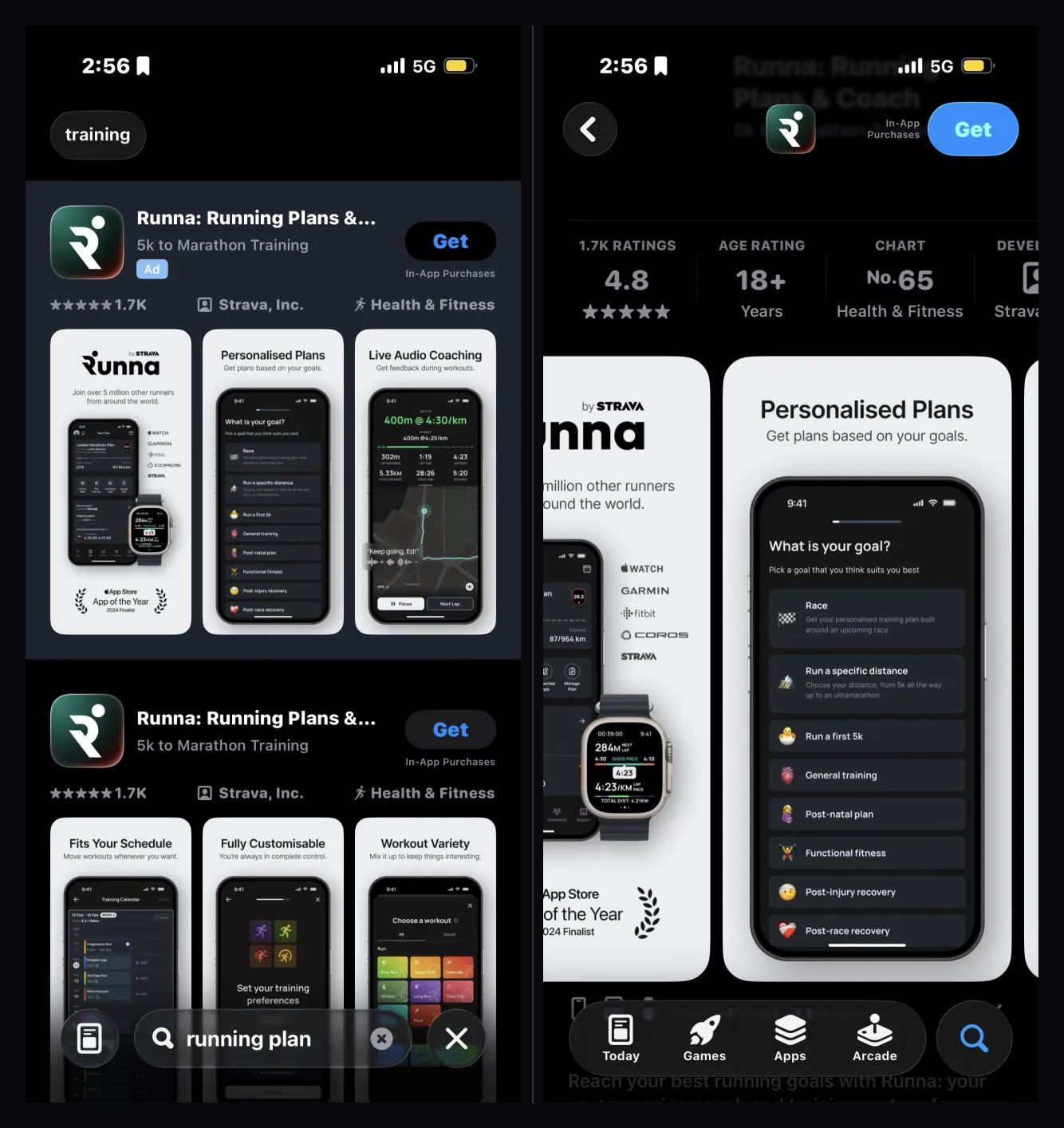
For a running app, the theme might be 5k training plan, beginner 5k plan, and 5k running plan. The first screenshot promises a week-by-week 5K schedule. The second shows plan personalization. The deep link opens the plan builder. The business event is not merely an install; it is creating a plan and starting a trial.
That is enough direction for design. "Make a running page" is not.
Build the page in App Store Connect
Apple currently allows up to 70 custom product pages per app. You can start from a blank page or copy an existing product page.
The current setup is:
- Open the app in App Store Connect.
- Select Custom Product Pages in the sidebar.
- Create a page and give it a reference name that will remain understandable in Analytics.
- Start blank or copy a product page.
- Add screenshots, app previews, promotional text, and localizations for the intended markets.
- Optionally assign organic keywords and an app deep link.
- Add the page for review and submit it.
The unique page URL is generated automatically. If an approved page is later edited, its URL stays the same and the new version replaces it after approval.
Design the first three assets as a sequence
Apple notes that the first one to three screenshots can appear in App Store search when no app preview is available. Treat the first three as a compact argument:
- Outcome: say what the searcher can accomplish.
- Proof: show the relevant part of the product.
- Mechanism: explain how the app gets them there.
For 5k training plan, this could be:
- "Your first 5K, planned week by week."
- A real personalized schedule.
- "Set your race date and current level in two minutes."
The rest of the gallery can explain adjacent benefits, trust, and depth. The first assets must earn the tap and make the landing page feel continuous.
The App Store screenshot guide covers hierarchy, captions, device frames, localization, and test planning in more detail.
Localize the promise, not just the caption
Custom pages are localizable. Check that the keyword theme, screenshot language, product availability, price, and in-app destination make sense in every country where the ad group runs.
Apple can mark an ad variation incompatible when the selected page has assets that do not match the ad group's country, region, language, or device. Build the localization and campaign coverage together.
Add a deep link when the destination helps
Custom product pages can include an app deep link. On iOS 18 and iPadOS 18 or later, someone who taps Open can go to specific content inside the installed app.
Use a deep link when it shortens the distance between the promise and the product:
- A flight-keyword page can open flight search.
- A recipe page can open the featured recipe collection.
- A 5K page can open plan creation.
Apple allows a universal link or a custom URL and recommends testing the destination before submission. The deep link is reviewed with the page. It should have a safe fallback for users whose app state cannot open the exact destination.
Submit the page before building the ad
Custom product pages and their associated metadata must pass App Review before users can see them.
If the app is already approved, Apple lets you submit a custom product page with or without a new app version. A Marketing-role user can manage custom product pages, although that role cannot add an app version to a submission.
Plan this dependency into the campaign launch:
- Finish every required localization and device asset.
- Test the deep link.
- Submit the page.
- Wait for approval.
- Confirm the page is visible and available in Apple Ads.
- Only then schedule the ad variation.
If an expected page is missing during ad creation, first check whether it is still unapproved, disabled, or deleted in App Store Connect.
Connect the page to an Apple Ads ad group
Use a Manage Bids search-results campaign with an ad group whose keywords share the page's intent.
In Apple Ads:
- Open the ad group.
- Go to its Ads dashboard.
- Select Create Ad.
- Name the custom ad with the intent, market, and version.
- Select the approved custom product page.
- Preview the creative and destination.
- Save and activate it when the test is ready.
The selected page determines the creative and the destination after the tap. If another custom ad is already active, Apple asks whether to activate the new one and pause the current variation.
Each ad group can have only one active custom ad. It can contain historical custom ads, but only one runs as the active variation.
Understand the default-ad fallback
Apple automatically creates a default ad from the default product page's screenshots and previews.
The default ad runs in ad groups without a custom variation. Apple also says it can run on devices earlier than iOS 15.2 or when the custom ad is paused or placed on hold because of a product-page issue. This is why the Ads dashboard may show the default ad as active even while a custom ad is active.
Do not read that status as a clean simultaneous A/B split.
Retire old Creative Sets
Creative Sets are no longer supported in search-results campaigns. Historical Creative Sets can remain visible with an Unsupported status, but they cannot run. Current ad variations use approved custom product pages.
Run a readable before-and-after test
Apple allows one active custom ad per ad group, so two custom pages cannot run side by side inside the same group.
A practical test is sequential:
- Record a baseline for the default ad with stable keywords, bids, budget, country, and audience settings.
- Note the start and end dates and any external events.
- Activate the custom ad without changing the other controls.
- Let both periods collect enough impressions and installs for the rates to be useful.
- Compare the ad and product-page funnel, not just raw volume.
This is not a randomized experiment. Auction conditions, seasonality, and competitor behavior can change between periods. Keeping the controllable settings stable makes the result more useful, but it does not remove those limitations.
Creating separate ad groups solely to force a simultaneous creative test introduces another problem: different delivery and overlapping keyword auctions. Use separate ad groups when the intents are genuinely different, not as a shortcut to a perfect A/B test.
Measure both sides of the tap
The Apple Ads Ads dashboard keeps current and historical data for the default ad and custom ads. Apple lists metrics including impressions, taps, average CPT, and installs.
App Store Connect Analytics adds the product-page and downstream view. Apple says custom-page data appears after the page receives at least five first-time downloads. You can then inspect product page views, downloads, conversion rate, territory, source type, subscription performance, and sales.
Track a compact scorecard:
| Stage | Metric | Question |
|---|---|---|
| Search result | Impressions and tap-through rate | Did the intent-specific creative earn attention? |
| Product page | Page views, downloads, conversion rate | Did the page persuade the visitor? |
| First value | Activation or trial starts | Did the app deliver the page's promise? |
| Business outcome | Paid conversion, proceeds, revenue, ROAS | Did the acquired audience create value? |
Use rate metrics when delivery changes. A higher bid can produce more impressions without proving the custom page is better.
The Apple Ads keyword ROAS guide covers cohort maturity and scaling. AppSprint can place keyword spend, trials, revenue, and ROAS beside the creative decision rather than stopping the analysis at the install.
Read the result without flattering the creative
| Result | Likely interpretation | Next move |
|---|---|---|
| TTR up, install conversion up, downstream value stable or better | The page improved relevance without weakening user quality | Keep it and test the next strongest intent |
| TTR up, install conversion down | The search-result creative wins taps but the full page does not close | Inspect continuity, proof, and asset order |
| Installs up, trials or activation down | The page overpromises or the post-install path breaks the promise | Fix onboarding, deep link, or targeting |
| Conversion unchanged with little traffic | The test is underpowered | Wait, consolidate, or stop producing pages for tiny themes |
| Installs flat, revenue or proceeds improve | The page may be attracting a smaller but better audience | Keep measuring mature value before reverting |
| Every metric falls | The new promise or execution is weaker | Return to the default baseline and diagnose the mismatch |
The best page is not automatically the one with the highest install conversion. For a subscription app, a page that brings fewer installs but more durable subscribers can be the better acquisition asset.
Organic keyword assignment is a separate choice
App Store Connect now lets you assign keywords from the latest approved app version to a custom product page. Once that page is approved, visible, and published, it can appear for those App Store searches instead of the default page.
That setting is separate from selecting a custom product page for an Apple Ads ad variation. You can use the same intent in both systems, but do not assume an ad-group keyword automatically makes the page appear organically.
Apple recommends unique keyword combinations for each custom page so the most relevant version can appear. Keep the organic assignment deliberate and measure it separately from paid delivery.
Launch checklist
Before activating the ad variation:
- The ad-group keyword theme can be described in one sentence.
- The first screenshot names or shows the searched outcome.
- The next two assets prove and explain the outcome.
- Every campaign country has compatible localized assets.
- The page is approved and visible in App Store Connect.
- The deep link is tested and has a safe fallback.
- The custom ad preview matches the intended device and language.
- The default-ad baseline and test date are recorded.
- Bids, budget, keywords, and audience controls remain stable during the comparison.
- App Store Connect and downstream subscription measurement are ready.
Manage Apple Ads intent and revenue in AppSprint so the custom-page decision can be read with keywords, spend, trials, revenue, and ROAS.
Sources
- Apple custom product pages - Current 70-page limit, customizable assets, unique URLs, organic keyword assignment, deep links, review, and Apple Ads support
- Creating your App Store product page - Current screenshot order, preview, promotional-text, and product-page asset guidance
- Configure multiple product page versions - Current App Store Connect creation, visibility, localization, keyword, deep-link, edit, and disable behavior
- Submit a custom product page - Current review workflow and role behavior
- Create Apple Ads ad variations - Current custom-ad setup, one-active-ad rule, destination behavior, deep links, and default ads
- Manage Apple Ads ad variations - Current ad-level reporting, statuses, compatibility rules, and default-ad fallback behavior
- Apple Ads ad variation best practices - Current guidance on keyword themes, audiences, localizations, devices, and deep links
- Custom product page analytics - Current page-level conversion, territory, subscription, sales, and five-download data threshold
Research, analyze, optimize
Find the right keywords, study the competitors already earning attention, and turn that into a stronger App Store page.
Available for macOS 14.6 and above


Loved by 544 users
Related articles
See all posts →
When to Pause an Apple Search Ads Keyword
Pause Apple Search Ads keywords when mature spend, weak funnel signal, and poor ROAS show the search intent is not paying back.

How to Track Apple Search Ads Revenue With Superwall
Use Superwall subscription events with Apple Search Ads attribution and spend to measure trials, paid conversions, revenue, and keyword ROAS.

How to Track Apple Search Ads Revenue With RevenueCat
Use RevenueCat revenue events with Apple Search Ads spend to see which campaigns and keywords create trials, subscriptions, renewals, and ROAS.