
Find your Apple Ads API credentials
Invite a dedicated API user, generate a public key, and connect Apple Search Ads to AppSprint ASO.
Create a new Apple Account
Create a separate Apple Account at account.apple.com/account. This account will be invited as the API user.
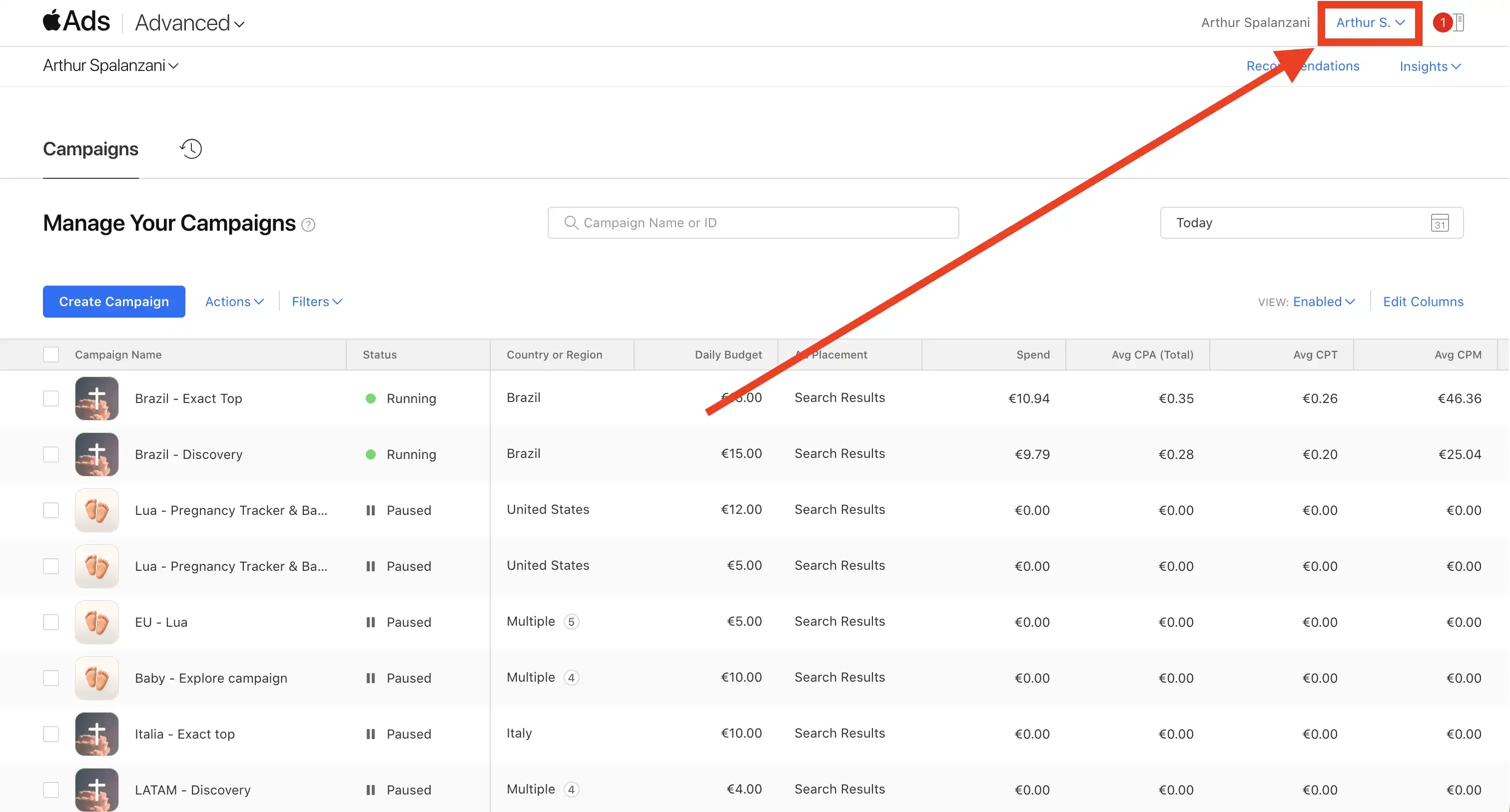
Click your account name
In Apple Search Ads Advanced, click your account name in the top right corner.
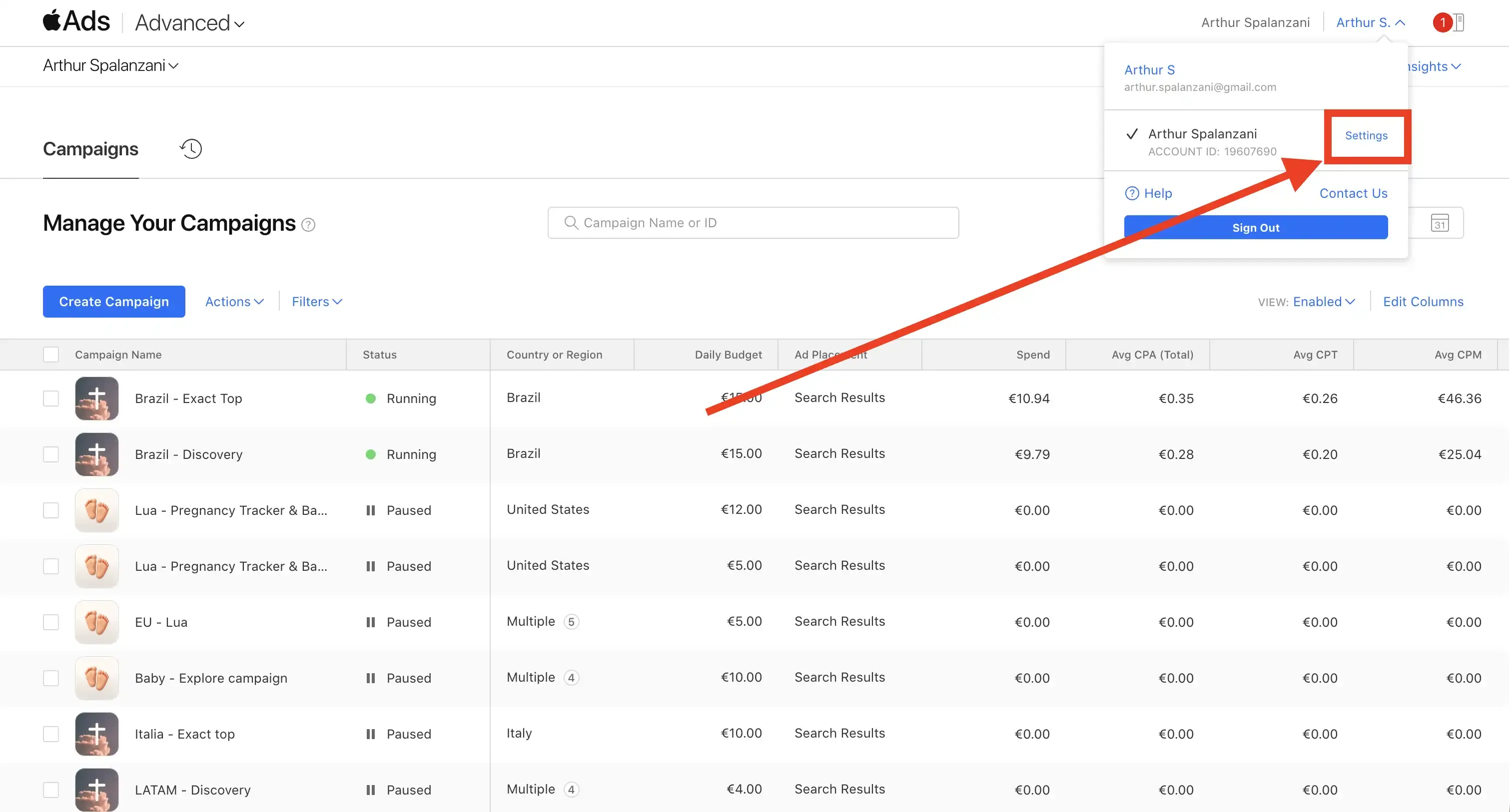
Go to Settings
Click Settings in the dropdown menu.
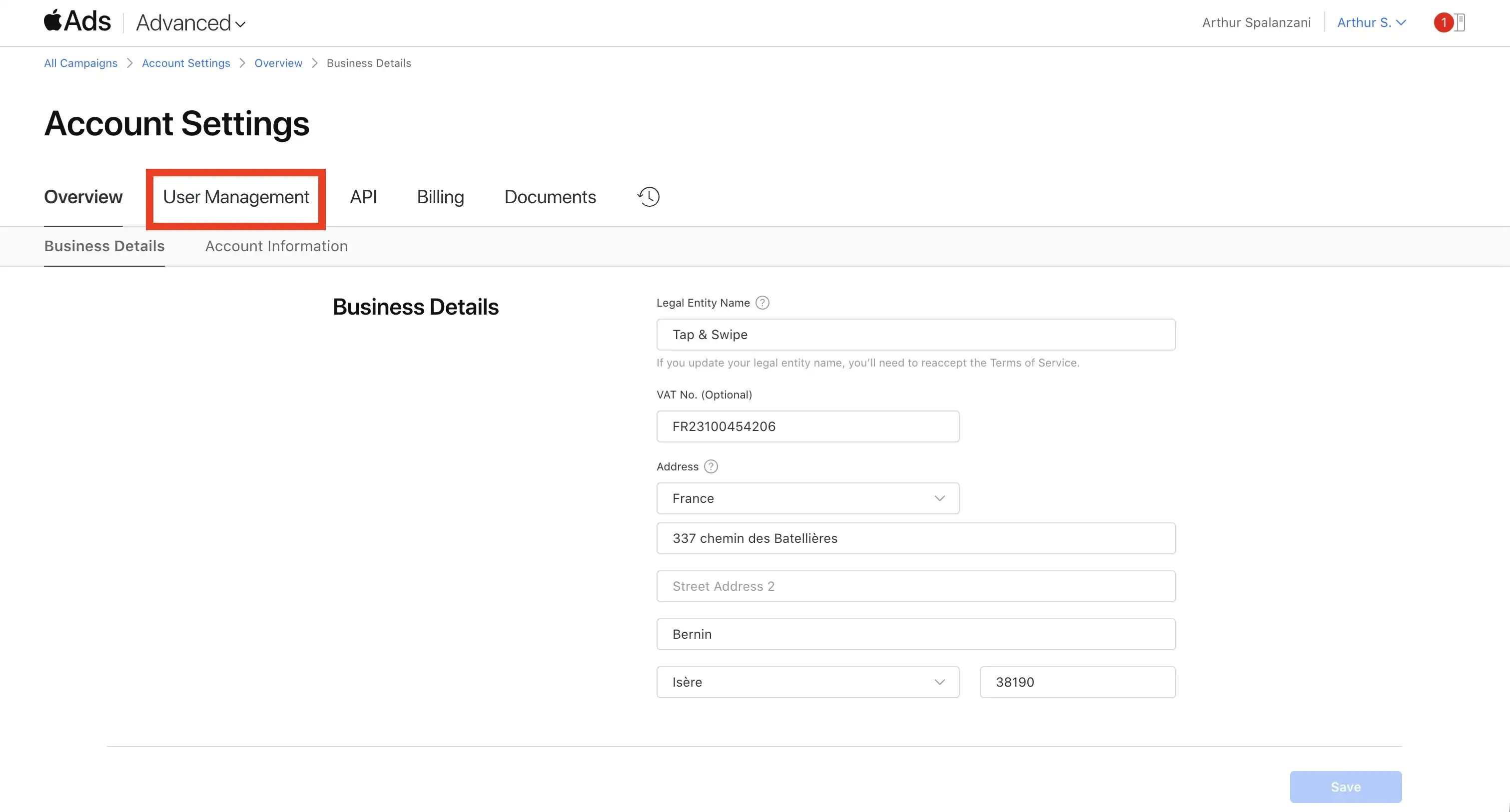
Open User Management
Click the User Management tab.
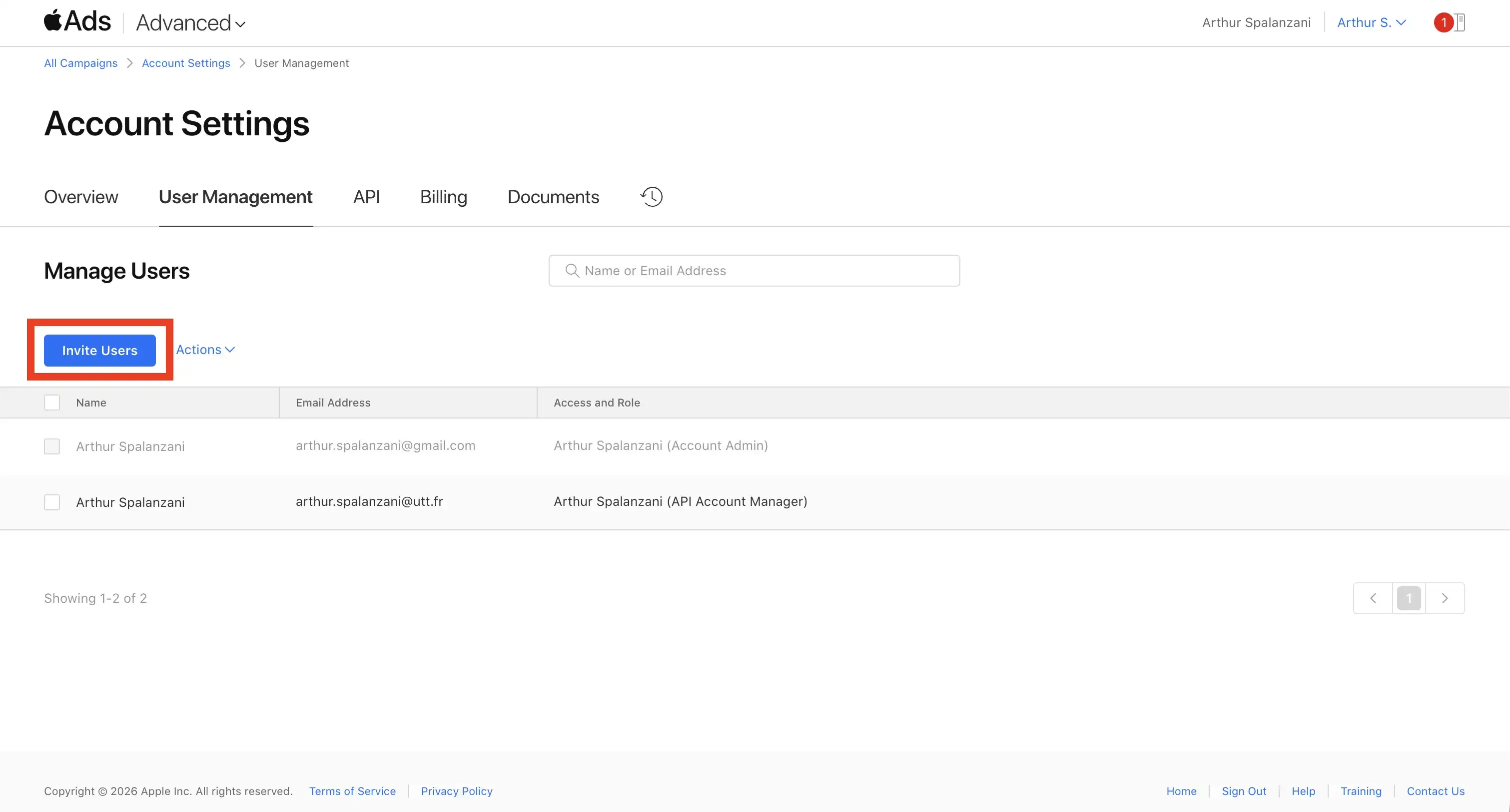
Click Invite Users
Click the Invite Users button.
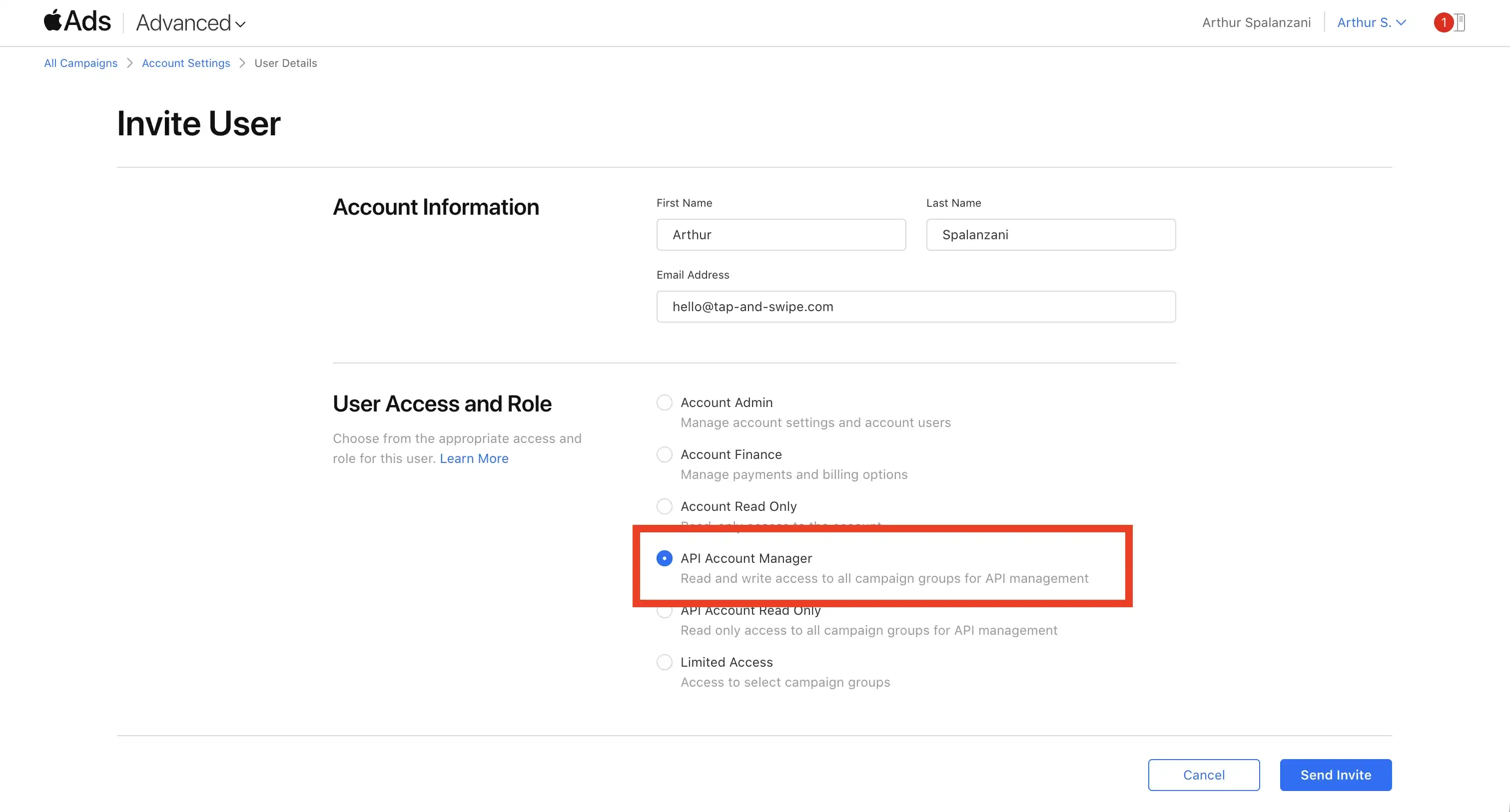
Invite the new account as API Account Manager
Enter the email of the Apple Account you just created, select the API Account Manager role, and click Send Invite.
The invitation email can take up to 30 minutes to arrive.
Sign out of your main account
Before checking the invite email, sign out of your main Apple Search Ads account. This helps you accept the invitation with the correct Apple Account.
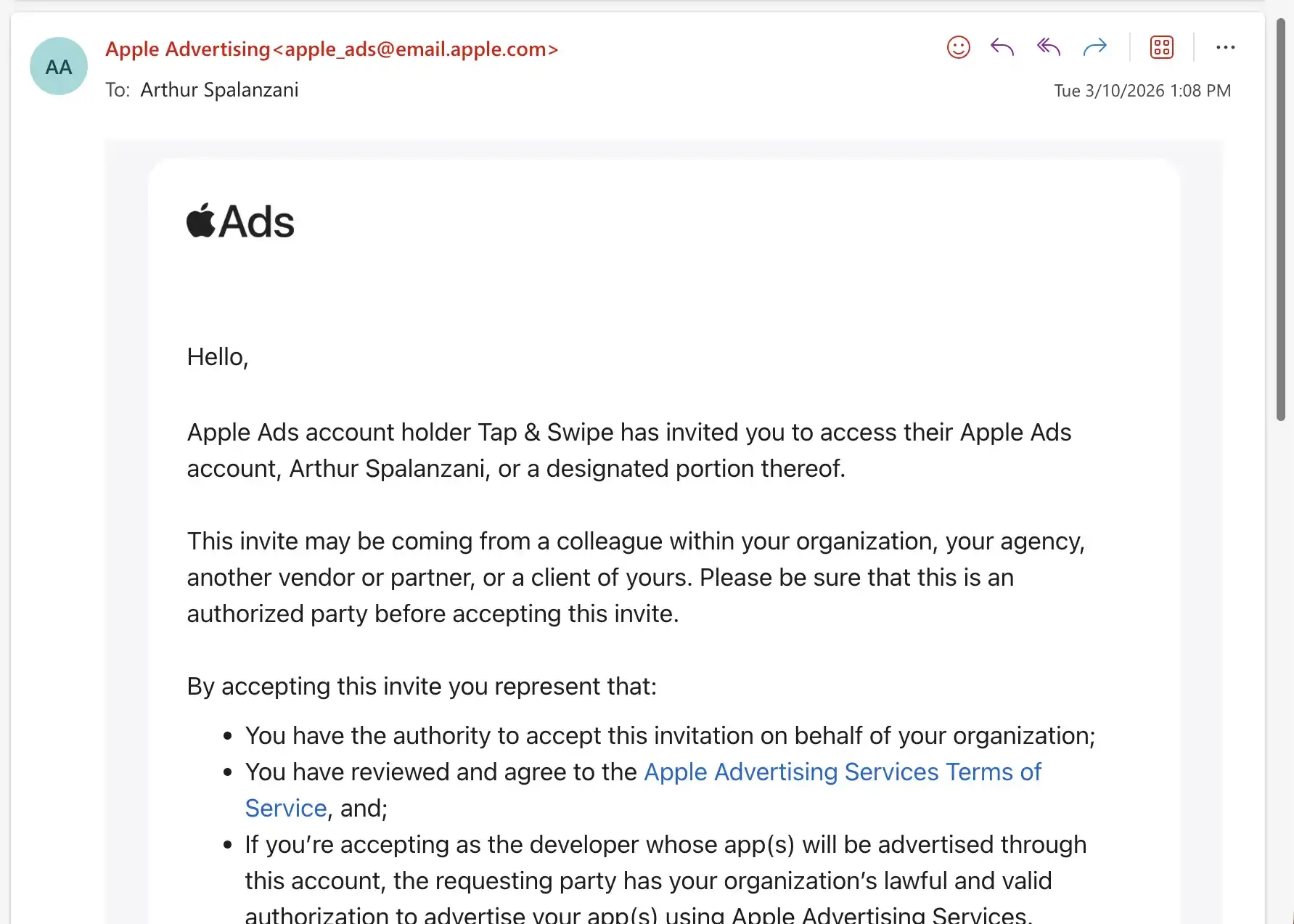
Accept the invitation
Open the invitation email on the newly created account and click the accept link. Log in with the new Apple Account when prompted.
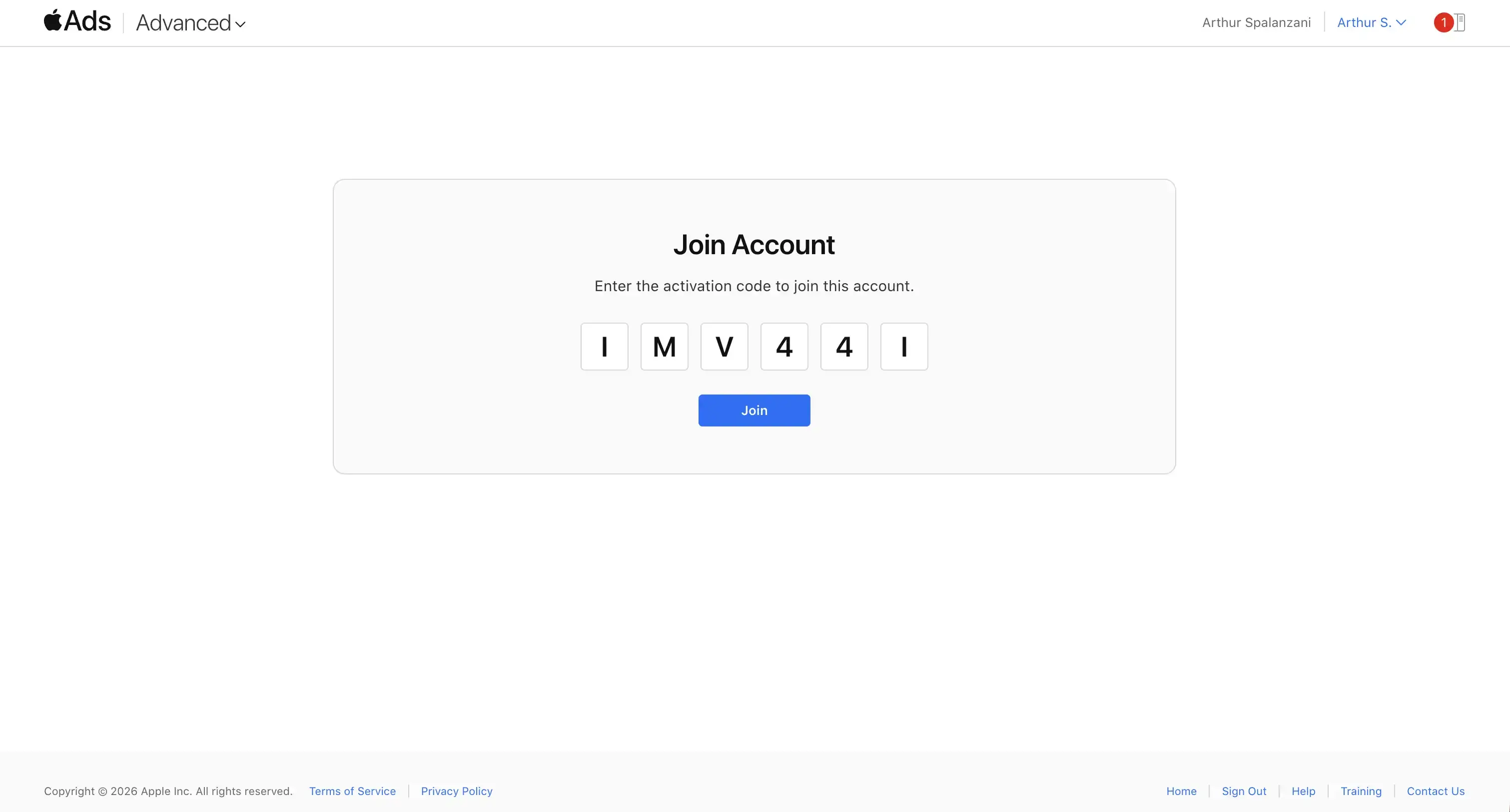
Enter the activation code and join
You will be redirected to a page with an activation code, also sent in the email. Enter it and click Join.
Go to Settings again
Now logged in as the invited account, click your account name in the top right and go to Settings again.
Open the API page
You should land on the API settings with a Public Key field. In AppSprint ASO, click Generate Key Pair. This creates a private key stored in the app and a public key you can copy.
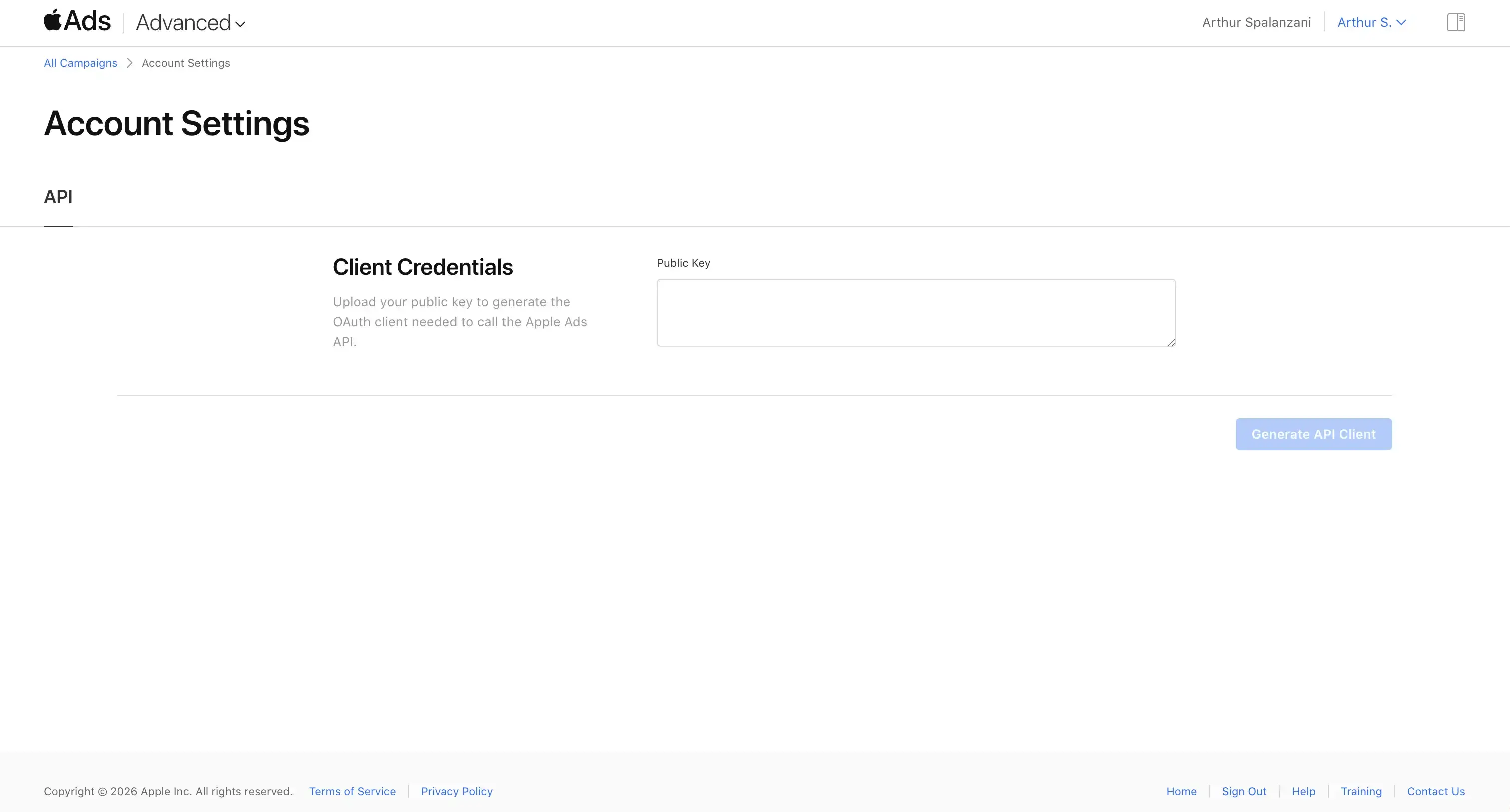
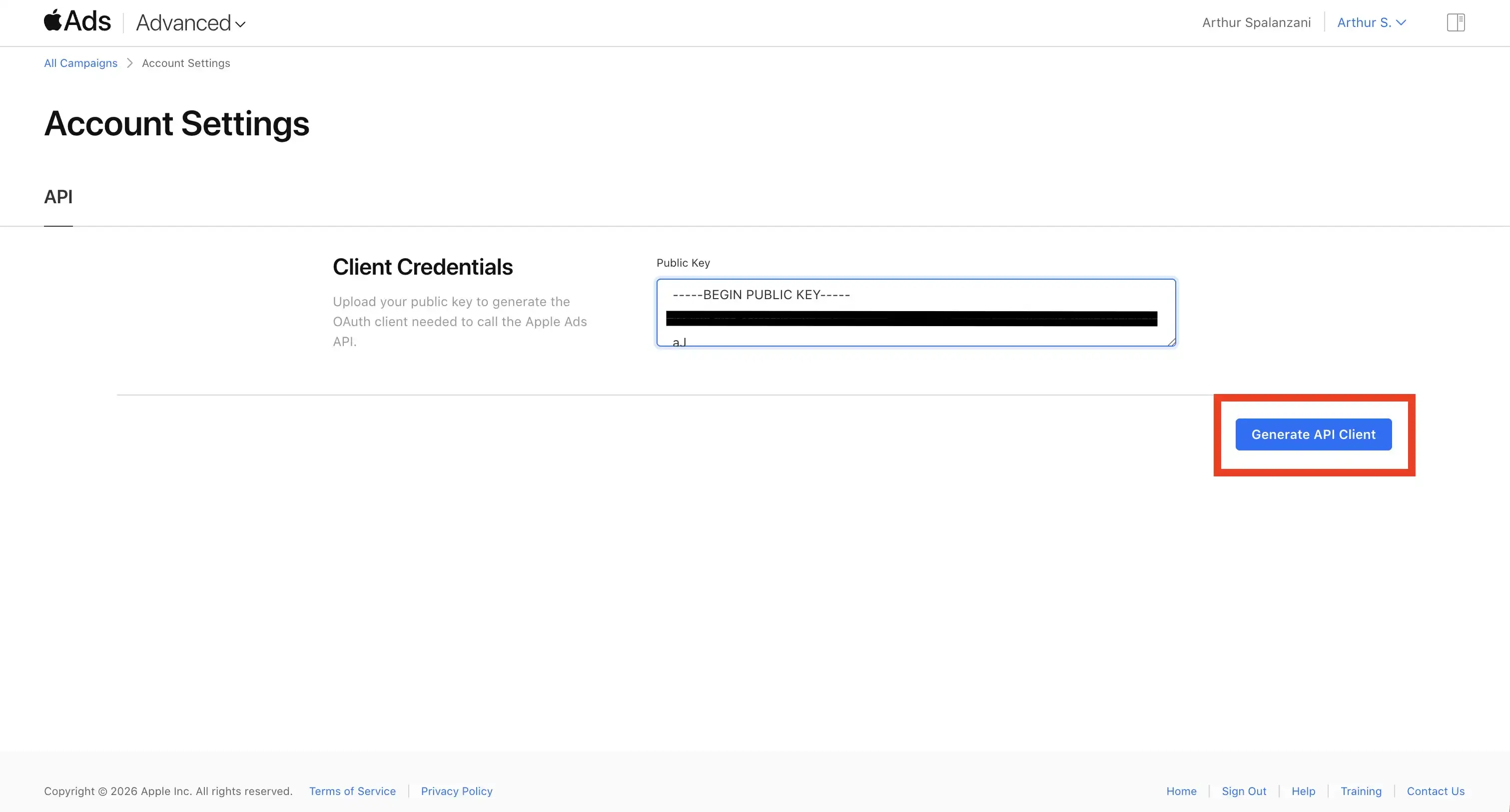
Paste the public key and generate the API client
Paste the public key into the field, then click Generate API Client.
Copy your credentials into AppSprint ASO
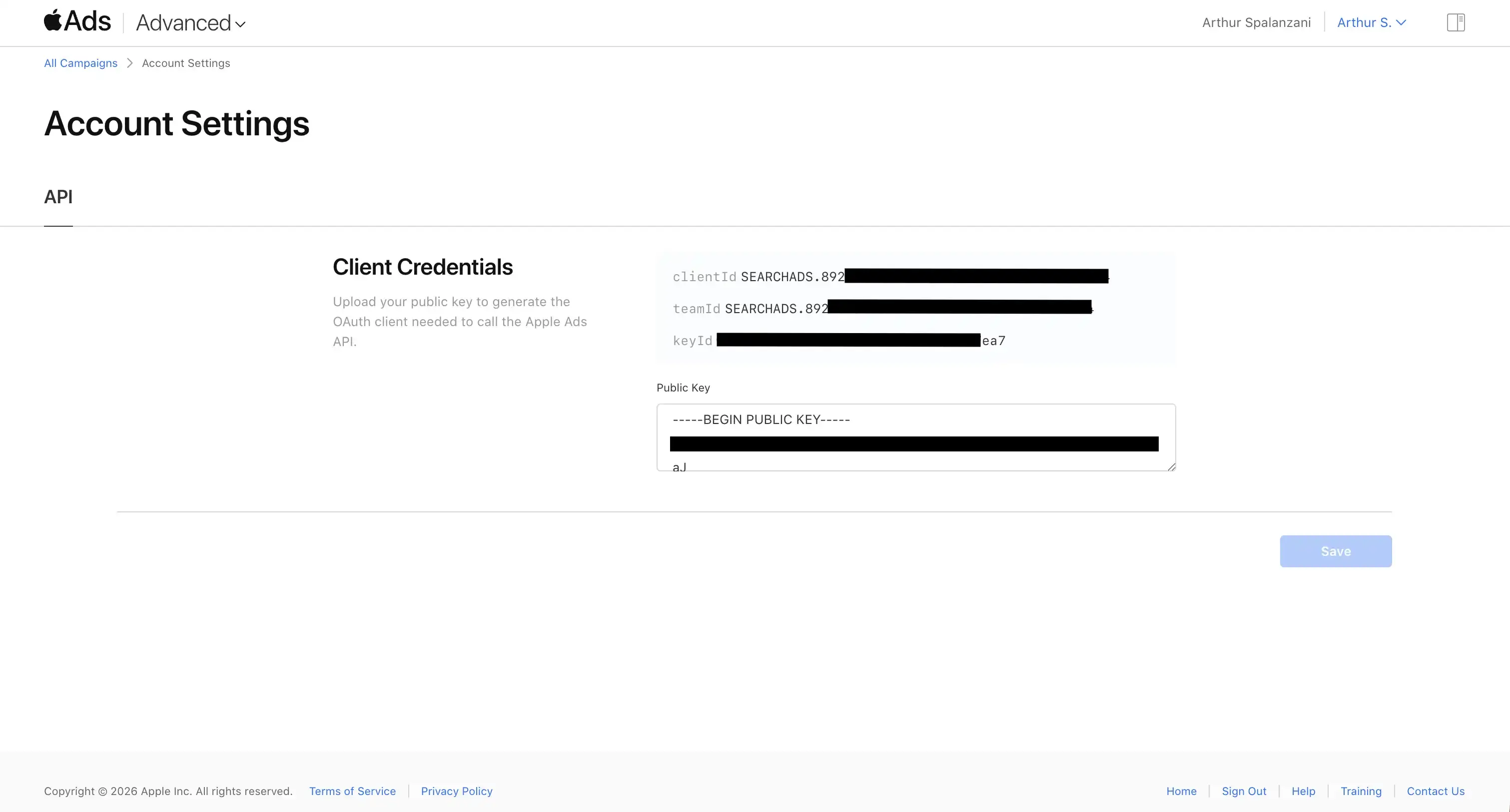
Apple will display your clientId, teamId, and keyId. Copy all three values and paste them into the corresponding fields in AppSprint ASO.
AppSprint ASO keeps the generated private key on your Mac and only asks Apple Search Ads to store the public key. For metadata access, use the App Store Connect guide.